riff 0.4.0のCore Runtime (Kantive/Istioなし)を試す
riff 0.4.0がリリースされました。
目玉はPluggable Runtimeの導入です。これにより、0.3.0まで必須だったKnative/Istioが必須ではなくなりました。またFunction以外にもApplicationのデプロイもサポートされました。
0.4.0からriffはBuildとRuntimeの抽象化レイヤーに分かれました。
それぞれ以下の選択肢が選べます。
-
Build ... コンテナイメージをビルドしてレポジトリにpushする
- Function ... Function InvokersのCloud Native Buildpacksを使って関数を実装したソースコードからイメージを作成。
- Application ... Cloud FoundryのCloud Native Buildpacksを使って普通のアプリケーションソースコードからのイメージを作成
- Container ... 既存のイメージを使用。
-
Runtime ... Buildで作成したコンテナイメージをデプロイする
- Core Runtime ... Kubernete標準の
DeploymentとServiceを使用してデプロイ。 - Knative Runtime ... Istioの
Ingress、KnativeのRoute、Configurationを使用してデプロイ (Knative ServingがIstioが必要)。 - Streaming runtime ... ストリーム処理用にデプロイ。0.4.0では未リリース(projectriff/riff#1159)。
- Core Runtime ... Kubernete標準の
riff 0.4.0ではBuildではKnative Build(プロジェクトはTekton Pipelineに移行)が使用されていましたが、今後はkpackに移行するようです。(projectriff/riff#1348, projectriff/system#87)
Knative Runtumeとは異なり、Core RuntimeではAuto ScalingやIngressは自動で作成されないため、自分で追加する必要があります。
個人的にはApplication対応に魅力を感じています。
riffのインストール
まずはCLIをインストール
brew install riff
バージョンを確認。
$ riff --version
riff version 0.4.0 (d1b042f4247d8eb01ee0b9e984926028a2844fe8)
riffのインストールはHelmで行います。今後はCNABでもインストールできるようになるみたいです(https://github.com/projectriff/cnab-riff)。 Helm自体のインストール方法は割愛します。
helm repo add projectriff https://projectriff.storage.googleapis.com/charts/releases
helm repo update
Core Runtimeのみをインストールします。
helm install projectriff/riff --name riff
次のような出力が得られます。Core Runtimeだけであれば作成されるPodは4つだけです。
NAME:   riff
LAST DEPLOYED: Sun Sep 22 17:33:13 2019
NAMESPACE: default
STATUS: DEPLOYED

RESOURCES:
==> v1/ClusterRole
NAME                  AGE
knative-build-admin   2s
projectriff           2s
projectriff-admin     2s
projectriff-readonly  2s

==> v1/ClusterRoleBinding
NAME                          AGE
build-controller-admin        2s
riff-system-controller-admin  2s

==> v1/ConfigMap
NAME                  DATA  AGE
config-controller     1     2s
config-logging        1     2s
config-observability  1     2s

==> v1/Deployment
NAME              READY  UP-TO-DATE  AVAILABLE  AGE
build-controller  0/1    1           0          2s
build-webhook     0/1    1           0          2s
controller        0/1    1           0          2s
webhook           0/1    1           0          2s

==> v1/Namespace
NAME           STATUS  AGE
knative-build  Active  2s
riff-system    Active  2s

==> v1/Pod(related)
NAME                              READY  STATUS             RESTARTS  AGE
build-controller-f969bf74d-f24qx  0/1    ContainerCreating  0         1s
build-webhook-6f58484688-rc7pq    0/1    ContainerCreating  0         1s
controller-6c9fd6c777-qcqv6       0/1    ContainerCreating  0         1s
webhook-6d5ff8db-k4nx8            0/1    ContainerCreating  0         1s

==> v1/Service
NAME              TYPE       CLUSTER-IP      EXTERNAL-IP  PORT(S)   AGE
build-controller  ClusterIP  10.100.200.226  <none>       9090/TCP  2s
build-webhook     ClusterIP  10.100.200.169  <none>       443/TCP   2s
controller        ClusterIP  10.100.200.119  <none>       9090/TCP  2s
webhook           ClusterIP  10.100.200.22   <none>       443/TCP   2s

==> v1/ServiceAccount
NAME              SECRETS  AGE
build-controller  1        2s
controller        1        2s

==> v1alpha1/ClusterBuildTemplate
NAME              AGE
riff-application  1s
riff-function     1s

==> v1alpha1/Image
NAME         AGE
creds-init   1s
gcs-fetcher  1s
git-init     1s
nop          1s

==> v1beta1/PodSecurityPolicy
NAME           PRIV   CAPS      SELINUX   RUNASUSER  FSGROUP    SUPGROUP  READONLYROOTFS  VOLUMES
knative-build  false  RunAsAny  RunAsAny  MustRunAs  MustRunAs  false     configMap,secret
Knative Runtimeもインストールする場合は
helm install projectriff/istio --name istio --namespace istio-system --wait
helm install projectriff/riff --name riff --set knative.enabled=true
riffのシステムコンポーネントが正しくインストールできているかどうかはriff doctorでチェックできます。
$ riff doctor
NAMESPACE     STATUS
riff-system   ok

RESOURCE                              READ      WRITE
configmaps                            allowed   allowed
secrets                               allowed   allowed
pods                                  allowed   n/a
pods/log                              allowed   n/a
applications.build.projectriff.io     allowed   allowed
containers.build.projectriff.io       allowed   allowed
functions.build.projectriff.io        allowed   allowed
deployers.core.projectriff.io         allowed   allowed
processors.streaming.projectriff.io   allowed   allowed
streams.streaming.projectriff.io      allowed   allowed
adapters.knative.projectriff.io       allowed   allowed
deployers.knative.projectriff.io      allowed   allowed
追加されるCustom Resourceは次の通りです。
$ kubectl api-resources --api-group build.projectriff.io
NAME           SHORTNAMES   APIGROUP               NAMESPACED   KIND
applications                build.projectriff.io   true         Application
containers                  build.projectriff.io   true         Container
functions                   build.projectriff.io   true         Function

$ kubectl api-resources --api-group core.projectriff.io
NAME        SHORTNAMES               APIGROUP              NAMESPACED   KIND
deployers   cdeployer,coredeployer   core.projectriff.io   true         Deployer

$ kubectl api-resources --api-group knative.projectriff.io
NAME        SHORTNAMES                             APIGROUP                 NAMESPACED   KIND
adapters                                           knative.projectriff.io   true         Adapter
deployers   kdeployer,kndeployer,knativedeployer   knative.projectriff.io   true         Deployer

$ kubectl api-resources --api-group streaming.projectriff.io
NAME         SHORTNAMES   APIGROUP                   NAMESPACED   KIND
processors                streaming.projectriff.io   true         Processor
streams                   streaming.projectriff.io   true         Stream
Docker RegistryのCredential設定
以下ではdemoネームスペースで作業します。
kubectl create ns demo
riff credentaial applyでDocker Registryへpushするための認証設定をします。
DOCKER_ID=making
riff credential apply my-creds --docker-hub $DOCKER_ID --set-default-image-prefix -n demo
Secretが作成されます。
$ kubectl get secret my-creds -n demo
NAME       TYPE                       DATA   AGE
my-creds   kubernetes.io/basic-auth   2      22s
Functionのデプロイ
早速Functionリソースを作成します。
Github上のソースコードからデプロイ
まずはhttps://github.com/projectriff-samples/node-squareのサンプルを使用します。二乗を計算する関数です。
riff function createコマンドでFunctionを作成できます。
riff function create square \
  --git-repo https://github.com/projectriff-samples/node-square  \
  --artifact square.js \
  --tail -n demo
次のようなログが出力されます。Node Function Buildpackを使ってコンテナイメージを作成し、Docker Registryにpushします。
Created function "square"
demo/square-function-pod-be6d4f[build-step-git-source-0]: {"level":"warn","ts":1569141998.4517846,"logger":"fallback-logger","caller":"logging/config.go:69","msg":"Fetch GitHub commit ID from kodata failed: \"ref: refs/heads/upstream/release-0.7\" is not a valid GitHub commit ID"}
demo/square-function-pod-be6d4f[build-step-git-source-0]: {"level":"info","ts":1569142000.213918,"logger":"fallback-logger","caller":"git-init/main.go:101","msg":"Successfully cloned \"https://github.com/projectriff-samples/node-square\" @ \"master\" in path \"/workspace\""}
demo/square-function-pod-be6d4f[build-step-build]: -----> Node Engine Buildpack 0.0.16
demo/square-function-pod-be6d4f[build-step-build]:   Node Engine 10.15.3: Contributing to layer
demo/square-function-pod-be6d4f[build-step-build]:     Downloading from https://nodejs.org/dist/v10.15.3/node-v10.15.3-linux-x64.tar.gz
demo/square-function-pod-be6d4f[build-step-build]:     Verifying checksum
demo/square-function-pod-be6d4f[build-step-build]:        Expanding to /layers/org.cloudfoundry.node-engine/node
demo/square-function-pod-be6d4f[build-step-build]:     Writing NODE_HOME to shared
demo/square-function-pod-be6d4f[build-step-build]:     Writing NODE_ENV to shared
demo/square-function-pod-be6d4f[build-step-build]:     Writing NODE_MODULES_CACHE to shared
demo/square-function-pod-be6d4f[build-step-build]:     Writing NODE_VERBOSE to shared
demo/square-function-pod-be6d4f[build-step-build]:     Writing NPM_CONFIG_PRODUCTION to shared
demo/square-function-pod-be6d4f[build-step-build]:     Writing NPM_CONFIG_LOGLEVEL to shared
demo/square-function-pod-be6d4f[build-step-build]:     Writing WEB_MEMORY to shared
demo/square-function-pod-be6d4f[build-step-build]:     Writing WEB_CONCURRENCY to shared
demo/square-function-pod-be6d4f[build-step-build]:     Writing .profile.d/0_memory_available.sh
demo/square-function-pod-be6d4f[build-step-build]: -----> Node Function Buildpack 0.1.1
demo/square-function-pod-be6d4f[build-step-build]:   riff Node Invoker 0.1.2: Contributing to layer
demo/square-function-pod-be6d4f[build-step-build]:     Reusing cached download from buildpack
demo/square-function-pod-be6d4f[build-step-build]:        Expanding to /layers/io.projectriff.node/riff-invoker-node
demo/square-function-pod-be6d4f[build-step-build]:        npm-installing the node invoker
demo/square-function-pod-be6d4f[build-step-build]: added 82 packages from 48 contributors and audited 451 packages in 3.102s
demo/square-function-pod-be6d4f[build-step-build]: found 1 critical severity vulnerability
demo/square-function-pod-be6d4f[build-step-build]:   run `npm audit fix` to fix them, or `npm audit` for details
demo/square-function-pod-be6d4f[build-step-build]:   NodeJS square.js: Contributing to layer
demo/square-function-pod-be6d4f[build-step-build]:     Writing FUNCTION_URI to launch
demo/square-function-pod-be6d4f[build-step-build]:   Process types:
demo/square-function-pod-be6d4f[build-step-build]:     function: node /layers/io.projectriff.node/riff-invoker-node/server.js
demo/square-function-pod-be6d4f[build-step-build]:     web:      node /layers/io.projectriff.node/riff-invoker-node/server.js
demo/square-function-pod-be6d4f[build-step-export]: Reusing layers from image 'index.docker.io/making/square@sha256:1dfc1ee1cbfab19d48622a500d08ea90e7f7b435e91f689f848f6abdde69b7ff'
demo/square-function-pod-be6d4f[build-step-export]: Exporting layer 'app' with SHA sha256:d4d8e432116aaacfce171e36f6a61fe023c6b8f2de703211a0f961864ccdd704
demo/square-function-pod-be6d4f[build-step-export]: Exporting layer 'config' with SHA sha256:35dd56a033e067000c7e29776bfa008a53c0e89016a2687ba3a7a7c5f24ec664
demo/square-function-pod-be6d4f[build-step-export]: Exporting layer 'launcher' with SHA sha256:2187c4179a3ddaae0e4ad2612c576b3b594927ba15dd610bbf720197209ceaa6
demo/square-function-pod-be6d4f[build-step-export]: Exporting layer 'org.cloudfoundry.node-engine:node' with SHA sha256:b134deffbd0fa78554a4af8c5ae91f0b25731b89b859aec1bcb3e1d169318028
demo/square-function-pod-be6d4f[build-step-export]: Exporting layer 'io.projectriff.node:function' with SHA sha256:4ac850c535b1e8201eed414c45b8e3a60f05945a7343a37344058703bcf33687
demo/square-function-pod-be6d4f[build-step-export]: Exporting layer 'io.projectriff.node:riff-invoker-node' with SHA sha256:52e564b0d41296f736bbfef58c8ef3098266ea1e5971d22b7c17a2f17781a60b
demo/square-function-pod-be6d4f[build-step-export]: *** Images:
demo/square-function-pod-be6d4f[build-step-export]:       docker.io/making/square - succeeded
demo/square-function-pod-be6d4f[build-step-export]:
demo/square-function-pod-be6d4f[build-step-export]: *** Digest: sha256:8c700f7950c9c2a0c3d6c3809ce58e3e2ba3183200e54a8a8e09bf5c1e9d44bc
riff function listでFunctionの一覧を確認できます。
$ riff function list -n demo
NAME     LATEST IMAGE                                                                                            ARTIFACT    HANDLER   INVOKER   STATUS   AGE
square   index.docker.io/making/square@sha256:8c700f7950c9c2a0c3d6c3809ce58e3e2ba3183200e54a8a8e09bf5c1e9d44bc   square.js   <empty>   <empty>   Ready    2m55s
kubectl get allで作成されたリソースを確認すると、square-function-pod-****というPodがいます。このPodは上記のイメージビルドのOne-Offタスクに使用されました。
この段階では作成されたイメージのコンテナは起動していません。
$ kubectl get all -n demo
NAME                             READY   STATUS      RESTARTS   AGE
pod/square-function-pod-be6d4f   0/1     Completed   0          2m38s

NAME                                      SUCCEEDED   REASON   STARTTIME   COMPLETIONTIME
build.build.knative.dev/square-function   True                 2m38s
作成されたイメージのコンテナをデプロイするのがDeployerです。ここではCore RuntimeのDeployerを使用してFunctionをデプロイします。
riff core deployer createコマンドを使用します。--function-refで対象のFunction名を指定します。
riff core deployer create k8s-square \
  --function-ref square \
  --tail -n demo
次のようなログが出力されます。
Created deployer "k8s-square"
demo/k8s-square-deployer-5877f47f76-qn2f6[handler]: /usr/local/bin/jq
demo/k8s-square-deployer-5877f47f76-qn2f6[handler]: Node started in 126ms
demo/k8s-square-deployer-5877f47f76-qn2f6[handler]: Server starting with request-reply interaction model and payload argument type
demo/k8s-square-deployer-5877f47f76-qn2f6[handler]: HTTP loaded in 82ms
demo/k8s-square-deployer-5877f47f76-qn2f6[handler]: HTTP running on localhost:8080
demo/k8s-square-deployer-5877f47f76-qn2f6[handler]: Function invoker started in 216ms
riff core deployer listでDeployerの一覧を確認できます。
$ riff core deployer list -n demo
NAME         TYPE       REF      SERVICE               STATUS   AGE
k8s-square   function   square   k8s-square-deployer   Ready    107s
作成されたResourceを確認するとDeploymentとServiceが作成されています。
$ kubectl get all -n demo
NAME                                       READY   STATUS      RESTARTS   AGE
pod/k8s-square-deployer-5877f47f76-qn2f6   1/1     Running     0          52s
pod/square-function-pod-be6d4f             0/1     Completed   0          11m

NAME                          TYPE        CLUSTER-IP       EXTERNAL-IP   PORT(S)   AGE
service/k8s-square-deployer   ClusterIP   10.100.200.134   <none>        80/TCP    52s

NAME                                  READY   UP-TO-DATE   AVAILABLE   AGE
deployment.apps/k8s-square-deployer   1/1     1            1           52s

NAME                                             DESIRED   CURRENT   READY   AGE
replicaset.apps/k8s-square-deployer-5877f47f76   1         1         1       52s

NAME                                      SUCCEEDED   REASON   STARTTIME   COMPLETIONTIME
build.build.knative.dev/square-function   True                 11m

NAME                                                      AGE
clusterbuildtemplate.build.knative.dev/riff-application   24m
clusterbuildtemplate.build.knative.dev/riff-function      24m
ここではPort Forwardを使ってFunctionにリクエストを送ります。
kubectl port-forward service/k8s-square-deployer 8080:80 -n demo
POSTのリクエストを送るとレスポンスが返ります。
$ curl http://localhost:8080/ -w '\n' -H 'Content-Type: text/plain' -d 8
64
DeployerとFunctionを一旦削除します。
riff core deployer delete k8s-square -n demo
riff function delete square -n demo
ローカルのソースコードからデプロイ
次はローカルのソースコードからFunctionイメージを作成します。
先ほどはNode Function Invokerを使ったので、今度はCommand Function Invokerを使用します。
Shell Scriptで標準入力でリクエストを受け付けて標準出力でレスポンスを返すコードを書きます。
cat <<EOF > uppercase.sh
#!/bin/sh

tr '[a-z]' '[A-Z]'
EOF
chmod +x uppercase.sh
riff.tomlに実行するスクリプト名を記述します。
cat <<EOF > riff.toml
artifact = "uppercase.sh"
EOF
riff function createコマンドでFunctionリソースを作成します。今回は--local-pathでローカルのワークスペースを指定します。
riff function create uppercase \
  --local-path . \
  --tail -n demo
次のようなログが出力されます。
2019/09/22 18:30:01.121534 DEBUG:  Pulling image index.docker.io/projectriff/builder:0.4.0-20190815183716-34a63d2fdc243d66
0.4.0-20190815183716-34a63d2fdc243d66: Pulling from projectriff/builder
Digest: sha256:d47deec5fbe0b5c0746c84d7919f9718df6e73a92bd8eeeab9307aa1452bc2a0
Status: Downloaded newer image for projectriff/builder:0.4.0-20190815183716-34a63d2fdc243d66
2019/09/22 18:30:07.025701 DEBUG:  Selected run image cnbs/run
2019/09/22 18:30:25.674904 DEBUG:  Using build cache volume pack-cache-1a1cfe4bc602.build
2019/09/22 18:30:25.674931 DEBUG:  Executing lifecycle version 0.3.0
2019/09/22 18:30:25.674940 DEBUG:  ===> DETECTING
[detector] Trying group 1 out of 3 with 3 buildpacks...
[detector] ======== Results ========
[detector] pass: Cloud Foundry OpenJDK Buildpack
[detector] skip: Cloud Foundry Build System Buildpack
[detector] fail: Java Function Buildpack
[detector] Trying group 2 out of 3 with 3 buildpacks...
[detector] ======== Output: NPM Buildpack ========
[detector] no "package.json" found at: /workspace/package.json
[detector] ======== Results ========
[detector] pass: Node Engine Buildpack
[detector] skip: NPM Buildpack
[detector] fail: Node Function Buildpack
[detector] Trying group 3 out of 3 with 1 buildpacks...
[detector] ======== Results ========
[detector] pass: Command Function Buildpack
2019/09/22 18:30:27.268614 DEBUG:  ===> RESTORING
[restorer] Cache '/cache': metadata not found, nothing to restore
2019/09/22 18:30:28.978805 DEBUG:  ===> ANALYZING
[analyzer] Image 'index.docker.io/making/uppercase:latest' not found
2019/09/22 18:30:33.994839 DEBUG:  ===> BUILDING
[builder] -----> Command Function Buildpack 0.0.9
[builder] -----> riff Command Invoker 0.0.8: Contributing to layer
[builder]        Reusing cached download from buildpack
[builder]        Expanding /buildpacks/io.projectriff.command/0.0.9/dependency-cache/cf475eae3043cf7dc0818b5ccd70f99c9542d798160fa3965c8506787a70e8d3/command-function-invoker-linux-amd64-0.0.8.tgz to /layers/io.projectriff.command/riff-invoker-command
[builder] -----> Command uppercase.sh: Contributing to layer
[builder]        Writing FUNCTION_URI to launch
[builder] -----> Process types:
[builder]        function: /layers/io.projectriff.command/riff-invoker-command/command-function-invoker
[builder]        web:      /layers/io.projectriff.command/riff-invoker-command/command-function-invoker
[builder]
2019/09/22 18:30:35.523936 DEBUG:  ===> EXPORTING
[exporter] Exporting layer 'app' with SHA sha256:33998bf4c6883847841afb9bc79a3c694869bbc91af3e42a20a85a2b0b49e586
[exporter] Exporting layer 'config' with SHA sha256:cff1d33f365361801eb9634382be712ef7c6bfe123d4f9319ef1817e38151fe5
[exporter] Exporting layer 'launcher' with SHA sha256:2187c4179a3ddaae0e4ad2612c576b3b594927ba15dd610bbf720197209ceaa6
[exporter] Exporting layer 'io.projectriff.command:function' with SHA sha256:bf0db55d0b05afe373cbbaf21e0551b7306debf1d6c5920efdb786822f2e4009
[exporter] Exporting layer 'io.projectriff.command:riff-invoker-command' with SHA sha256:6fda89f4834e6dc8cceb2e0f8c1dc9b8fe61e6ab1a921a7adfcc69ea2200a1c6
[exporter] *** Images:
[exporter]       index.docker.io/making/uppercase:latest - succeeded
[exporter]
[exporter] *** Digest: sha256:0fe98080bc0d0300f0fc5b50f235df0436215a6c8ec80f288d21cb8fddf8b267
2019/09/22 18:30:45.096203 DEBUG:  ===> CACHING
[cacher] Caching layer 'io.projectriff.command:riff-invoker-command' with SHA sha256:6fda89f4834e6dc8cceb2e0f8c1dc9b8fe61e6ab1a921a7adfcc69ea2200a1c6
Created function "uppercase"
riff core deployer createコマンドでFunctionをデプロイします。
riff core deployer create uppercase \
  --function-ref uppercase \
  --tail -n demo
作成されたResourceを確認します。今回はローカルでイメージをビルドしたので、ビルド用のPodはできていません。
$ kubectl get all -n demo
NAME                                     READY   STATUS    RESTARTS   AGE
pod/uppercase-deployer-cc4845856-46jkc   1/1     Running   0          2m13s

NAME                         TYPE        CLUSTER-IP       EXTERNAL-IP   PORT(S)   AGE
service/uppercase-deployer   ClusterIP   10.100.200.243   <none>        80/TCP    2m13s

NAME                                 READY   UP-TO-DATE   AVAILABLE   AGE
deployment.apps/uppercase-deployer   1/1     1            1           2m13s

NAME                                           DESIRED   CURRENT   READY   AGE
replicaset.apps/uppercase-deployer-cc4845856   1         1         1       2m13s

NAME                                                      AGE
clusterbuildtemplate.build.knative.dev/riff-application   62m
clusterbuildtemplate.build.knative.dev/riff-function      62m
Port Forwardを使ってFunctionにリクエストを送ります。
kubectl port-forward service/uppercase-deployer 8080:80 -n demo
$ curl http://localhost:8080/ -w '\n' -H 'Content-Type: text/plain' -d 'hello world'
HELLO WORLD
DeployerとFunctionを一旦削除します。
riff core deployer delete uppercase -n demo
riff function delete uppercase -n demo
Applicationのデプロイ
次にApplicationをデプロイします。これはFunctionとは関係なく、普通のWebアプリケーションです。
Github上のSpring Musicをデプロイしてみます。
Applicationのデプロイにはriff application createコマンドを使用します。
riff application create spring-music \
  --git-repo https://github.com/cloudfoundry-samples/spring-music  \
  --tail -n demo
次のようなログが出力され、アプリケーションのコンテナイメージが作成されます。Cloud FoundryのCloud Native Buildpacksが使用されています。
Created application "spring-music"
demo/spring-music-application-pod-d27e3d[build-step-build]:
demo/spring-music-application-pod-d27e3d[build-step-build]: Cloud Foundry OpenJDK Buildpack 1.0.0-M9
demo/spring-music-application-pod-d27e3d[build-step-build]:   OpenJDK JDK 11.0.3: Contributing to layer
demo/spring-music-application-pod-d27e3d[build-step-build]:     Downloading from https://github.com/AdoptOpenJDK/openjdk11-binaries/releases/download/jdk-11.0.3%2B7/OpenJDK11U-jdk_x64_linux_hotspot_11.0.3_7.tar.gz
demo/spring-music-application-pod-d27e3d[build-step-build]:     Verifying checksum
demo/spring-music-application-pod-d27e3d[build-step-build]:     Expanding to /layers/org.cloudfoundry.openjdk/openjdk-jdk
demo/spring-music-application-pod-d27e3d[build-step-build]:     Writing JAVA_HOME to build
demo/spring-music-application-pod-d27e3d[build-step-build]:     Writing JDK_HOME to build
demo/spring-music-application-pod-d27e3d[build-step-build]:   OpenJDK JRE 11.0.3: Contributing to layer
demo/spring-music-application-pod-d27e3d[build-step-build]:     Downloading from https://github.com/AdoptOpenJDK/openjdk11-binaries/releases/download/jdk-11.0.3%2B7/OpenJDK11U-jre_x64_linux_hotspot_11.0.3_7.tar.gz
demo/spring-music-application-pod-d27e3d[build-step-build]:     Verifying checksum
demo/spring-music-application-pod-d27e3d[build-step-build]:     Expanding to /layers/org.cloudfoundry.openjdk/openjdk-jre
demo/spring-music-application-pod-d27e3d[build-step-build]:     Writing JAVA_HOME to shared
demo/spring-music-application-pod-d27e3d[build-step-build]:
demo/spring-music-application-pod-d27e3d[build-step-build]: Cloud Foundry Build System Buildpack 1.0.0-M9
demo/spring-music-application-pod-d27e3d[build-step-build]:     Using wrapper
demo/spring-music-application-pod-d27e3d[build-step-build]:     Linking Cache to /home/cnb/.gradle
demo/spring-music-application-pod-d27e3d[build-step-build]:   Compiled Application: Contributing to layer
demo/spring-music-application-pod-d27e3d[build-step-build]: Downloading https://services.gradle.org/distributions/gradle-5.6-bin.zip
demo/spring-music-application-pod-d27e3d[build-step-build]: .........................................................................................
demo/spring-music-application-pod-d27e3d[build-step-build]: Unzipping /home/cnb/.gradle/wrapper/dists/gradle-5.6-bin/ez4di095eg6cfomw17rqphhsg/gradle-5.6-bin.zip to /home/cnb/.gradle/wrapper/dists/gradle-5.6-bin/ez4di095eg6cfomw17rqphhsg
demo/spring-music-application-pod-d27e3d[build-step-build]: Set executable permissions for: /home/cnb/.gradle/wrapper/dists/gradle-5.6-bin/ez4di095eg6cfomw17rqphhsg/gradle-5.6/bin/gradle
demo/spring-music-application-pod-d27e3d[build-step-build]:
demo/spring-music-application-pod-d27e3d[build-step-build]: Welcome to Gradle 5.6!
demo/spring-music-application-pod-d27e3d[build-step-build]:
demo/spring-music-application-pod-d27e3d[build-step-build]: Here are the highlights of this release:
demo/spring-music-application-pod-d27e3d[build-step-build]:  - Incremental Groovy compilation
demo/spring-music-application-pod-d27e3d[build-step-build]:  - Groovy compile avoidance
demo/spring-music-application-pod-d27e3d[build-step-build]:  - Test fixtures for Java projects
demo/spring-music-application-pod-d27e3d[build-step-build]:  - Manage plugin versions via settings script
demo/spring-music-application-pod-d27e3d[build-step-build]:
demo/spring-music-application-pod-d27e3d[build-step-build]: For more details see https://docs.gradle.org/5.6/release-notes.html
demo/spring-music-application-pod-d27e3d[build-step-build]:
demo/spring-music-application-pod-d27e3d[build-step-build]: Starting a Gradle Daemon (subsequent builds will be faster)
demo/spring-music-application-pod-d27e3d[build-step-build]: > Task :compileJava
demo/spring-music-application-pod-d27e3d[build-step-build]: Note: /workspace/src/main/java/org/cloudfoundry/samples/music/config/SpringApplicationContextInitializer.java uses or overrides a deprecated API.
demo/spring-music-application-pod-d27e3d[build-step-build]: Note: Recompile with -Xlint:deprecation for details.
demo/spring-music-application-pod-d27e3d[build-step-build]:
demo/spring-music-application-pod-d27e3d[build-step-build]: > Task :processResources
demo/spring-music-application-pod-d27e3d[build-step-build]: > Task :classes
demo/spring-music-application-pod-d27e3d[build-step-build]: > Task :bootJar
demo/spring-music-application-pod-d27e3d[build-step-build]: > Task :jar SKIPPED
demo/spring-music-application-pod-d27e3d[build-step-build]: > Task :assemble
demo/spring-music-application-pod-d27e3d[build-step-build]: > Task :check
demo/spring-music-application-pod-d27e3d[build-step-build]: > Task :build
demo/spring-music-application-pod-d27e3d[build-step-build]:
demo/spring-music-application-pod-d27e3d[build-step-build]: BUILD SUCCESSFUL in 1m 40s
demo/spring-music-application-pod-d27e3d[build-step-build]: 3 actionable tasks: 3 executed
demo/spring-music-application-pod-d27e3d[build-step-build]:   Removing source code
demo/spring-music-application-pod-d27e3d[build-step-build]:
demo/spring-music-application-pod-d27e3d[build-step-build]: Cloud Foundry JVM Application Buildpack 1.0.0-M9
demo/spring-music-application-pod-d27e3d[build-step-build]:   Executable JAR: Contributing to layer
demo/spring-music-application-pod-d27e3d[build-step-build]:     Writing CLASSPATH to shared
demo/spring-music-application-pod-d27e3d[build-step-build]:   Process types:
demo/spring-music-application-pod-d27e3d[build-step-build]:     executable-jar: java -cp $CLASSPATH $JAVA_OPTS org.springframework.boot.loader.JarLauncher
demo/spring-music-application-pod-d27e3d[build-step-build]:     task:           java -cp $CLASSPATH $JAVA_OPTS org.springframework.boot.loader.JarLauncher
demo/spring-music-application-pod-d27e3d[build-step-build]:     web:            java -cp $CLASSPATH $JAVA_OPTS org.springframework.boot.loader.JarLauncher
demo/spring-music-application-pod-d27e3d[build-step-build]:
demo/spring-music-application-pod-d27e3d[build-step-build]: Cloud Foundry Spring Boot Buildpack 1.0.0-M9
demo/spring-music-application-pod-d27e3d[build-step-build]:   Spring Boot 2.1.7.RELEASE: Contributing to layer
demo/spring-music-application-pod-d27e3d[build-step-build]:     Writing CLASSPATH to shared
demo/spring-music-application-pod-d27e3d[build-step-build]:   Process types:
demo/spring-music-application-pod-d27e3d[build-step-build]:     spring-boot: java -cp $CLASSPATH $JAVA_OPTS org.cloudfoundry.samples.music.Application
demo/spring-music-application-pod-d27e3d[build-step-build]:     task:        java -cp $CLASSPATH $JAVA_OPTS org.cloudfoundry.samples.music.Application
demo/spring-music-application-pod-d27e3d[build-step-build]:     web:         java -cp $CLASSPATH $JAVA_OPTS org.cloudfoundry.samples.music.Application
demo/spring-music-application-pod-d27e3d[build-step-build]:
demo/spring-music-application-pod-d27e3d[build-step-build]: Cloud Foundry Spring Auto-reconfiguration Buildpack 1.0.0-M9
demo/spring-music-application-pod-d27e3d[build-step-build]:   Spring Auto-reconfiguration 2.7.0: Contributing to layer
demo/spring-music-application-pod-d27e3d[build-step-build]:     Downloading from https://repo.spring.io/release/org/cloudfoundry/java-buildpack-auto-reconfiguration/2.7.0.RELEASE/java-buildpack-auto-reconfiguration-2.7.0.RELEASE.jar
demo/spring-music-application-pod-d27e3d[build-step-build]:     Verifying checksum
demo/spring-music-application-pod-d27e3d[build-step-build]:     Copying to /layers/org.cloudfoundry.springautoreconfiguration/auto-reconfiguration
demo/spring-music-application-pod-d27e3d[build-step-build]:     Writing CLASSPATH to launch
demo/spring-music-application-pod-d27e3d[build-step-export]: Exporting layer 'app' with SHA sha256:c00d7d8b7a121dcaf619cfbb4fffdd39060481a52fde95e4dee114ee1f486d60
demo/spring-music-application-pod-d27e3d[build-step-export]: Exporting layer 'config' with SHA sha256:4999a21b40fedd5dc2bb4f573458dc462ce8bc300d079ff488115489730cdfbf
demo/spring-music-application-pod-d27e3d[build-step-export]: Exporting layer 'launcher' with SHA sha256:2187c4179a3ddaae0e4ad2612c576b3b594927ba15dd610bbf720197209ceaa6
demo/spring-music-application-pod-d27e3d[build-step-export]: Exporting layer 'org.cloudfoundry.openjdk:openjdk-jre' with SHA sha256:b4c9e176f3e59c28939bcbdf3cd8d8bcbd25dd396cffc831c50400bda14c8498
demo/spring-music-application-pod-d27e3d[build-step-export]: Exporting layer 'org.cloudfoundry.jvmapplication:executable-jar' with SHA sha256:4504416ffcfe48c04b303f209a71360ef054d759b7d5b7deae53d34542c066a2
demo/spring-music-application-pod-d27e3d[build-step-export]: Exporting layer 'org.cloudfoundry.springboot:spring-boot' with SHA sha256:7ea0159184f4ff24811b72101f44fe578adfea2215294889b5246983b9f46eb3
demo/spring-music-application-pod-d27e3d[build-step-export]: Exporting layer 'org.cloudfoundry.springautoreconfiguration:auto-reconfiguration' with SHA sha256:41658755805c0452025f24e92ea9c26f736c0661c478e8cd69f5d4b6bf9280b9
demo/spring-music-application-pod-d27e3d[build-step-export]: *** Images:
demo/spring-music-application-pod-d27e3d[build-step-export]:       docker.io/making/spring-music - succeeded
demo/spring-music-application-pod-d27e3d[build-step-export]:
demo/spring-music-application-pod-d27e3d[build-step-export]: *** Digest: sha256:e47d41cb86f9884dea156c2e5f9dde9bda2ed2673d2bfe87aea6d0429d647c9c
demo/spring-music-application-pod-d27e3d[build-step-cache]: Caching layer 'org.cloudfoundry.openjdk:23cded2b43261016f0f246c85c8948d4a9b7f2d44988f75dad69723a7a526094' with SHA sha256:ec111da00c681fb8526b1f0b457440e58f13cd0fef858d97f6b94b278c452ce7
demo/spring-music-application-pod-d27e3d[build-step-cache]: Caching layer 'org.cloudfoundry.openjdk:d2df8bc799b09c8375f79bf646747afac3d933bb1f65de71d6c78e7466ff8fe4' with SHA sha256:4193b3e9512f28b093c1f6f8910882dd3f8e7f99f525b181a9d04c8d85c5290e
demo/spring-music-application-pod-d27e3d[build-step-cache]: Caching layer 'org.cloudfoundry.openjdk:openjdk-jdk' with SHA sha256:f7671f6e5e58e10a45dd56e8a8d0e3e31d4a029e0c655f217bf262ca13ce28db
demo/spring-music-application-pod-d27e3d[build-step-cache]: Caching layer 'org.cloudfoundry.buildsystem:build-system-cache' with SHA sha256:993b4415c0a86ec6c7217fa9dceeaae52ce036f9e6c2856f4e7625b55f806ce8
demo/spring-music-application-pod-d27e3d[build-step-cache]: Caching layer 'org.cloudfoundry.jvmapplication:executable-jar' with SHA sha256:4504416ffcfe48c04b303f209a71360ef054d759b7d5b7deae53d34542c066a2
demo/spring-music-application-pod-d27e3d[build-step-cache]: Caching layer 'org.cloudfoundry.springboot:spring-boot' with SHA sha256:7ea0159184f4ff24811b72101f44fe578adfea2215294889b5246983b9f46eb3
demo/spring-music-application-pod-d27e3d[build-step-cache]: Caching layer 'org.cloudfoundry.springautoreconfiguration:0d524877db7344ec34620f7e46254053568292f5ce514f74e3a0e9b2dbfc338b' with SHA sha256:b230347b1d507372183a527a7915085715aaddafe61a9de325fff47f5f8dcc30
riff application listでApplicationの一覧を確認できます。
$ riff application list -n demo
NAME           LATEST IMAGE                                                                                                  STATUS   AGE
spring-music   index.docker.io/making/spring-music@sha256:e47d41cb86f9884dea156c2e5f9dde9bda2ed2673d2bfe87aea6d0429d647c9c   Ready    5m1s
riff core deployer createコマンドでApplicationをデプロイします。今回は--application-refで対象のApplication名を指定します。
riff core deployer create spring-music \
  --application-ref spring-music \
  --tail -n demo
次のようなログが出力されます。
Created deployer "spring-music"
demo/spring-music-deployer-644c9489fd-f8p26[handler]:
demo/spring-music-deployer-644c9489fd-f8p26[handler]:   .   ____          _            __ _ _
demo/spring-music-deployer-644c9489fd-f8p26[handler]:  /\\ / ___'_ __ _ _(_)_ __  __ _ \ \ \ \
demo/spring-music-deployer-644c9489fd-f8p26[handler]: ( ( )\___ | '_ | '_| | '_ \/ _` | \ \ \ \
demo/spring-music-deployer-644c9489fd-f8p26[handler]:  \\/  ___)| |_)| | | | | || (_| |  ) ) ) )
demo/spring-music-deployer-644c9489fd-f8p26[handler]:   '  |____| .__|_| |_|_| |_\__, | / / / /
demo/spring-music-deployer-644c9489fd-f8p26[handler]:  =========|_|==============|___/=/_/_/_/
demo/spring-music-deployer-644c9489fd-f8p26[handler]:  :: Spring Boot ::        (v2.1.7.RELEASE)
demo/spring-music-deployer-644c9489fd-f8p26[handler]:
demo/spring-music-deployer-644c9489fd-f8p26[handler]: 2019-09-23 08:12:25.796  WARN 1 --- [           main] pertySourceApplicationContextInitializer : Skipping 'cloud' property source addition because not in a cloud
demo/spring-music-deployer-644c9489fd-f8p26[handler]: 2019-09-23 08:12:25.800  WARN 1 --- [           main] nfigurationApplicationContextInitializer : Skipping reconfiguration because not in a cloud
demo/spring-music-deployer-644c9489fd-f8p26[handler]: 2019-09-23 08:12:26.199  INFO 1 --- [           main] o.c.samples.music.Application            : Starting Application on spring-music-deployer-644c9489fd-f8p26 with PID 1 (/workspace/BOOT-INF/classes started by cnb in /workspace)
demo/spring-music-deployer-644c9489fd-f8p26[handler]: 2019-09-23 08:12:26.211  INFO 1 --- [           main] o.c.samples.music.Application            : No active profile set, falling back to default profiles: default
demo/spring-music-deployer-644c9489fd-f8p26[handler]: 2019-09-23 08:12:27.662  INFO 1 --- [           main] .s.d.r.c.RepositoryConfigurationDelegate : Multiple Spring Data modules found, entering strict repository configuration mode!
demo/spring-music-deployer-644c9489fd-f8p26[handler]: 2019-09-23 08:12:27.667  INFO 1 --- [           main] .s.d.r.c.RepositoryConfigurationDelegate : Bootstrapping Spring Data repositories in DEFAULT mode.
demo/spring-music-deployer-644c9489fd-f8p26[handler]: 2019-09-23 08:12:27.855  INFO 1 --- [           main] .s.d.r.c.RepositoryConfigurationDelegate : Finished Spring Data repository scanning in 171ms. Found 1 repository interfaces.
demo/spring-music-deployer-644c9489fd-f8p26[handler]: 2019-09-23 08:12:28.552  INFO 1 --- [           main] trationDelegate$BeanPostProcessorChecker : Bean 'org.springframework.transaction.annotation.ProxyTransactionManagementConfiguration' of type [org.springframework.transaction.annotation.ProxyTransactionManagementConfiguration$$EnhancerBySpringCGLIB$$18c9ff22] is not eligible for getting processed by all BeanPostProcessors (for example: not eligible for auto-proxying)
demo/spring-music-deployer-644c9489fd-f8p26[handler]: 2019-09-23 08:12:28.923  INFO 1 --- [           main] o.s.b.w.embedded.tomcat.TomcatWebServer  : Tomcat initialized with port(s): 8080 (http)
demo/spring-music-deployer-644c9489fd-f8p26[handler]: 2019-09-23 08:12:28.970  INFO 1 --- [           main] o.apache.catalina.core.StandardService   : Starting service [Tomcat]
demo/spring-music-deployer-644c9489fd-f8p26[handler]: 2019-09-23 08:12:28.974  INFO 1 --- [           main] org.apache.catalina.core.StandardEngine  : Starting Servlet engine: [Apache Tomcat/9.0.22]
demo/spring-music-deployer-644c9489fd-f8p26[handler]: 2019-09-23 08:12:29.143  INFO 1 --- [           main] o.a.c.c.C.[Tomcat].[localhost].[/]       : Initializing Spring embedded WebApplicationContext
demo/spring-music-deployer-644c9489fd-f8p26[handler]: 2019-09-23 08:12:29.144  INFO 1 --- [           main] o.s.web.context.ContextLoader            : Root WebApplicationContext: initialization completed in 2847 ms
demo/spring-music-deployer-644c9489fd-f8p26[handler]: 2019-09-23 08:12:29.643  INFO 1 --- [           main] com.zaxxer.hikari.HikariDataSource       : HikariPool-1 - Starting...
demo/spring-music-deployer-644c9489fd-f8p26[handler]: 2019-09-23 08:12:29.940  INFO 1 --- [           main] com.zaxxer.hikari.HikariDataSource       : HikariPool-1 - Start completed.
demo/spring-music-deployer-644c9489fd-f8p26[handler]: 2019-09-23 08:12:30.031  INFO 1 --- [           main] o.hibernate.jpa.internal.util.LogHelper  : HHH000204: Processing PersistenceUnitInfo [
demo/spring-music-deployer-644c9489fd-f8p26[handler]: 	name: default
demo/spring-music-deployer-644c9489fd-f8p26[handler]: 	...]
demo/spring-music-deployer-644c9489fd-f8p26[handler]: 2019-09-23 08:12:30.107  INFO 1 --- [           main] org.hibernate.Version                    : HHH000412: Hibernate Core {5.3.10.Final}
demo/spring-music-deployer-644c9489fd-f8p26[handler]: 2019-09-23 08:12:30.113  INFO 1 --- [           main] org.hibernate.cfg.Environment            : HHH000206: hibernate.properties not found
demo/spring-music-deployer-644c9489fd-f8p26[handler]: 2019-09-23 08:12:30.328  INFO 1 --- [           main] o.hibernate.annotations.common.Version   : HCANN000001: Hibernate Commons Annotations {5.0.4.Final}
demo/spring-music-deployer-644c9489fd-f8p26[handler]: 2019-09-23 08:12:30.481  INFO 1 --- [           main] org.hibernate.dialect.Dialect            : HHH000400: Using dialect: org.hibernate.dialect.H2Dialect
demo/spring-music-deployer-644c9489fd-f8p26[handler]: 2019-09-23 08:12:31.159  INFO 1 --- [           main] o.h.t.schema.internal.SchemaCreatorImpl  : HHH000476: Executing import script 'org.hibernate.tool.schema.internal.exec.ScriptSourceInputNonExistentImpl@5b72b13a'
demo/spring-music-deployer-644c9489fd-f8p26[handler]: 2019-09-23 08:12:31.162  INFO 1 --- [           main] j.LocalContainerEntityManagerFactoryBean : Initialized JPA EntityManagerFactory for persistence unit 'default'
demo/spring-music-deployer-644c9489fd-f8p26[handler]: 2019-09-23 08:12:31.701  INFO 1 --- [           main] o.s.s.concurrent.ThreadPoolTaskExecutor  : Initializing ExecutorService 'applicationTaskExecutor'
demo/spring-music-deployer-644c9489fd-f8p26[handler]: 2019-09-23 08:12:31.756  WARN 1 --- [           main] aWebConfiguration$JpaWebMvcConfiguration : spring.jpa.open-in-view is enabled by default. Therefore, database queries may be performed during view rendering. Explicitly configure spring.jpa.open-in-view to disable this warning
demo/spring-music-deployer-644c9489fd-f8p26[handler]: 2019-09-23 08:12:31.804  INFO 1 --- [           main] o.s.b.a.w.s.WelcomePageHandlerMapping    : Adding welcome page: class path resource [static/index.html]
demo/spring-music-deployer-644c9489fd-f8p26[handler]: 2019-09-23 08:12:32.131  INFO 1 --- [           main] o.s.b.a.e.web.EndpointLinksResolver      : Exposing 15 endpoint(s) beneath base path '/actuator'
demo/spring-music-deployer-644c9489fd-f8p26[handler]: 2019-09-23 08:12:32.291  INFO 1 --- [           main] o.s.b.w.embedded.tomcat.TomcatWebServer  : Tomcat started on port(s): 8080 (http) with context path ''
demo/spring-music-deployer-644c9489fd-f8p26[handler]: 2019-09-23 08:12:32.299  INFO 1 --- [           main] o.c.samples.music.Application            : Started Application in 7.343 seconds (JVM running for 8.328)
demo/spring-music-deployer-644c9489fd-f8p26[handler]: 2019-09-23 08:12:32.358  INFO 1 --- [           main] o.h.h.i.QueryTranslatorFactoryInitiator  : HHH000397: Using ASTQueryTranslatorFactory
riff core deployer listでDeployerの一覧を確認できます。TYPEがapplicationになっています。
$ riff core deployer list -n demo
NAME           TYPE          REF            SERVICE                 STATUS   AGE
spring-music   application   spring-music   spring-music-deployer   Ready    73s
作成されたResourceを確認します。
$ kubectl get all -n demo
NAME                                         READY   STATUS      RESTARTS   AGE
pod/spring-music-application-pod-d27e3d      0/1     Completed   0          7m16s
pod/spring-music-deployer-644c9489fd-f8p26   1/1     Running     0          95s

NAME                            TYPE        CLUSTER-IP       EXTERNAL-IP   PORT(S)   AGE
service/spring-music-deployer   ClusterIP   10.100.200.214   <none>        80/TCP    95s

NAME                                    READY   UP-TO-DATE   AVAILABLE   AGE
deployment.apps/spring-music-deployer   1/1     1            1           95s

NAME                                               DESIRED   CURRENT   READY   AGE
replicaset.apps/spring-music-deployer-644c9489fd   1         1         1       95s

NAME                                               SUCCEEDED   REASON   STARTTIME   COMPLETIONTIME
build.build.knative.dev/spring-music-application   True                 7m16s

NAME                                                      AGE
clusterbuildtemplate.build.knative.dev/riff-application   23h
clusterbuildtemplate.build.knative.dev/riff-function      23h
Port Forwardを行います。
kubectl port-forward service/spring-music-deployer 8080:80 -n demo
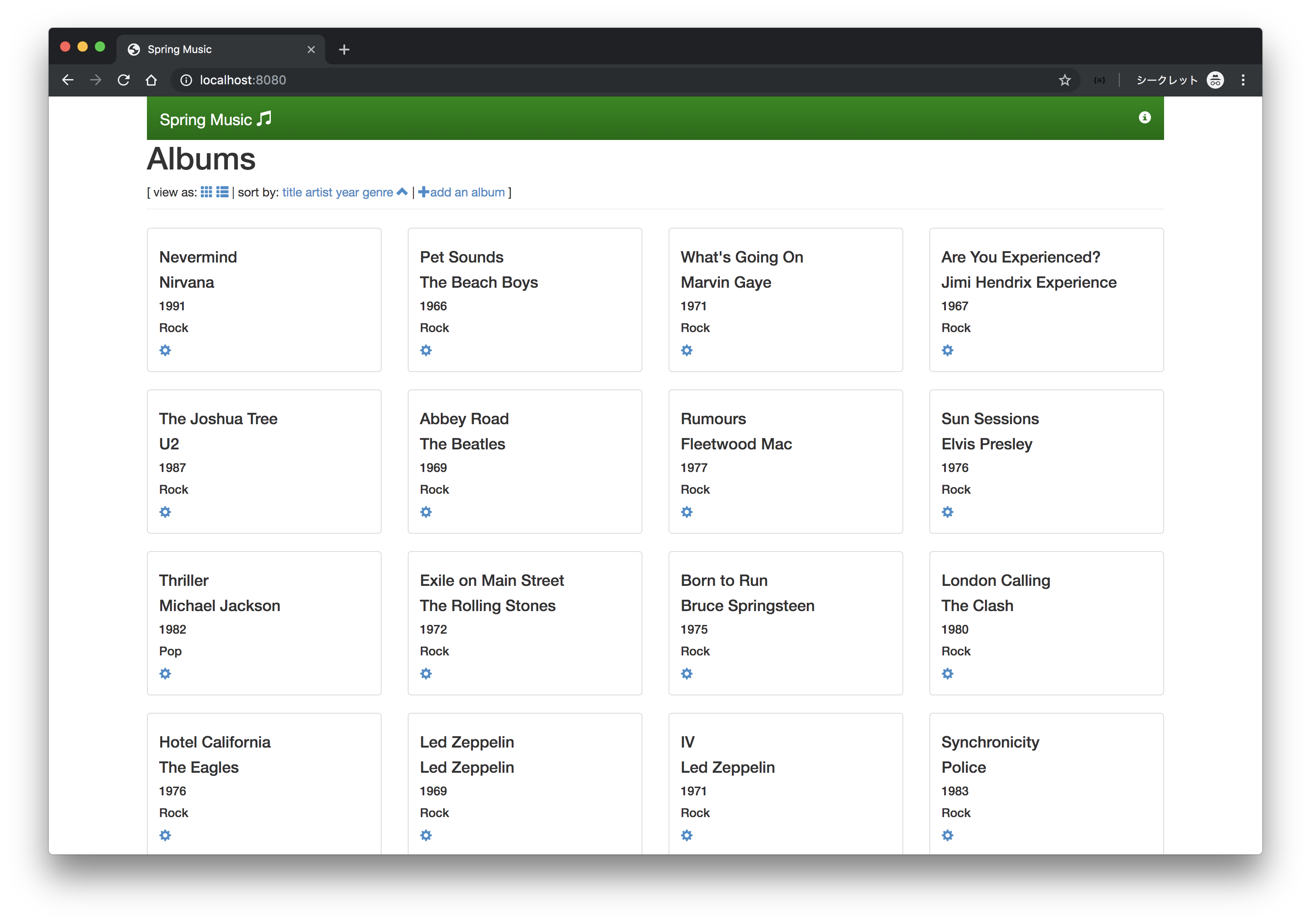
ブラウザでlocalhost:8080にアクセスすると画面が表示されます👏
DeployerとApplicationを削除します。
riff core deployer delete spring-music -n demo
riff application delete spring-music -n demo
riff 0.4.0をKnativeなしで試しました。 次のバージョンではStreaming Runtimeも入ってくると思われるので楽しみです。
成熟すればKubernetes上のPlatformとして面白い存在になると思います。