---
title: How to Implement Two-Factor Authentication (2FA) with Spring Security
summary: In this article, we explain how to implement a flow that redirects to a 2FA (TOTP) input screen after login in Spring Security, using TwoFactorAuthenticationSuccessHandler and a custom authorization manager.
tags: ["Java", "Spring Boot", "Spring Security", "2FA", "MFA", "TOTP"]
categories: ["Programming", "Java", "org", "springframework", "security", "web", "authentication"]
date: 2023-09-08T08:01:09Z
updated: 2023-09-08T08:03:26Z
---
> [!NOTE]
> 2026-01-28 Released [a version that uses Spring Security 7's MFA support](/entries/895/en). If you want to implement 2FA, refer to the latest version rather than this article.
This is a note on how to perform two-factor authentication (2FA) with Spring Security.
Since this implementation is limited to two factors, we will refer to it as 2FA rather than multi-factor authentication (MFA).
A Google search for **"Spring Security 2FA"** yields the following two examples.
* https://www.baeldung.com/spring-security-two-factor-authentication-with-soft-token
* https://www.javadevjournal.com/spring-security/two-factor-authentication-with-spring-security/
Both implement 2FA using TOTP. However, they require the authentication code to be entered within the login form.
What we want to implement is the following flow:
* The login form only asks for username and password.
* After a successful username/password login, if 2FA is enabled, display a TOTP code input form.
The implementations above cannot achieve this flow.
A sample that implements this flow can be found among the official samples maintained by the Spring Security team.
https://github.com/spring-projects/spring-security-samples/tree/6.5.x/servlet/spring-boot/java/authentication/username-password/mfa
This sample is an MFA example.
Based on that sample, the implementation of the above flow can be found at
https://github.com/making/demo-two-factor-authentication
### Walkthrough of the Sample Application
First, let's walk through the sample application.
Access `http://localhost:8080/signup` and register an account.
 2FA is disabled by default.
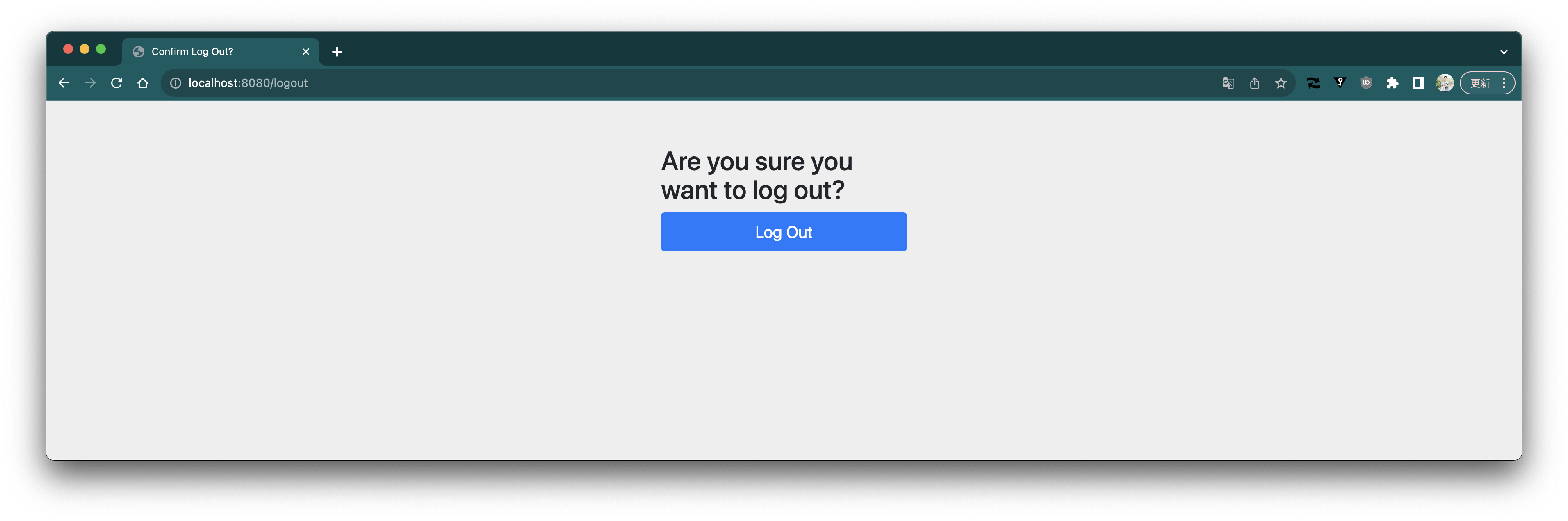
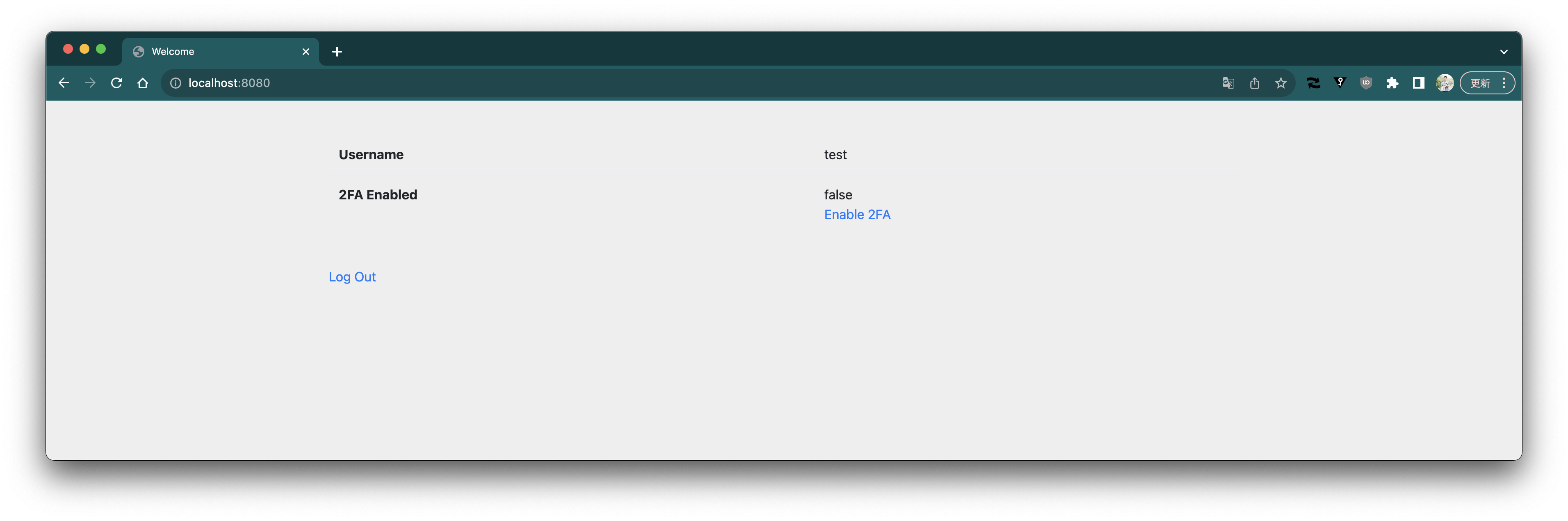 Log out.
 Log in again.
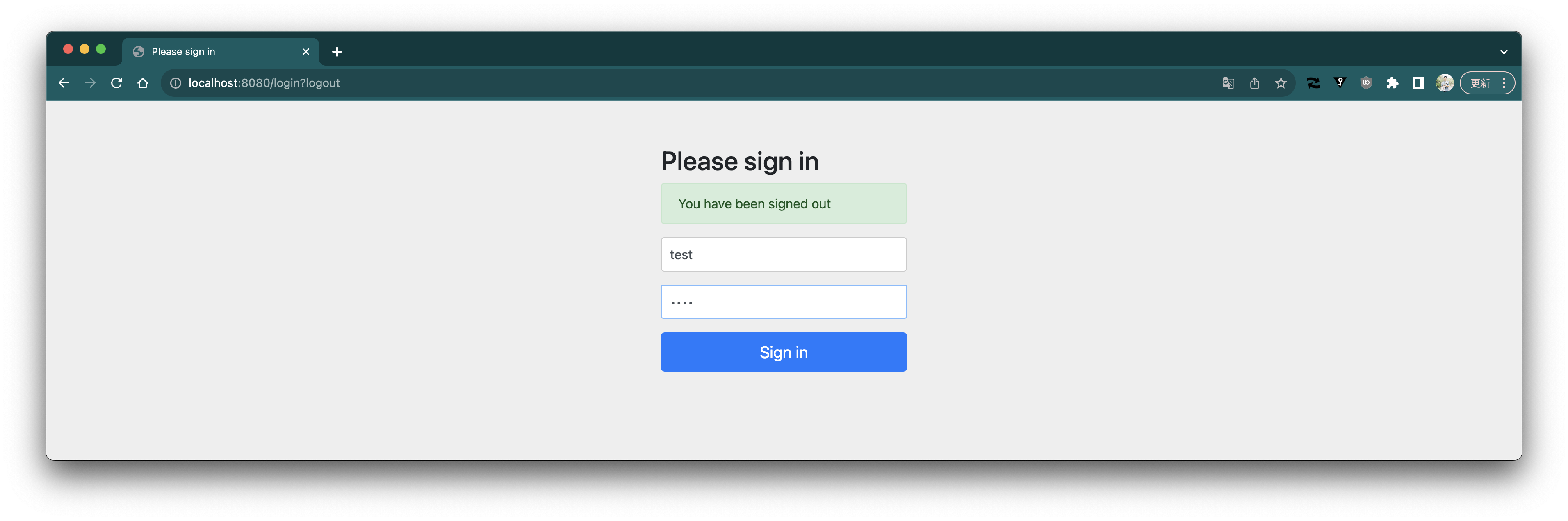 Since 2FA is disabled, login succeeds with only username and password.
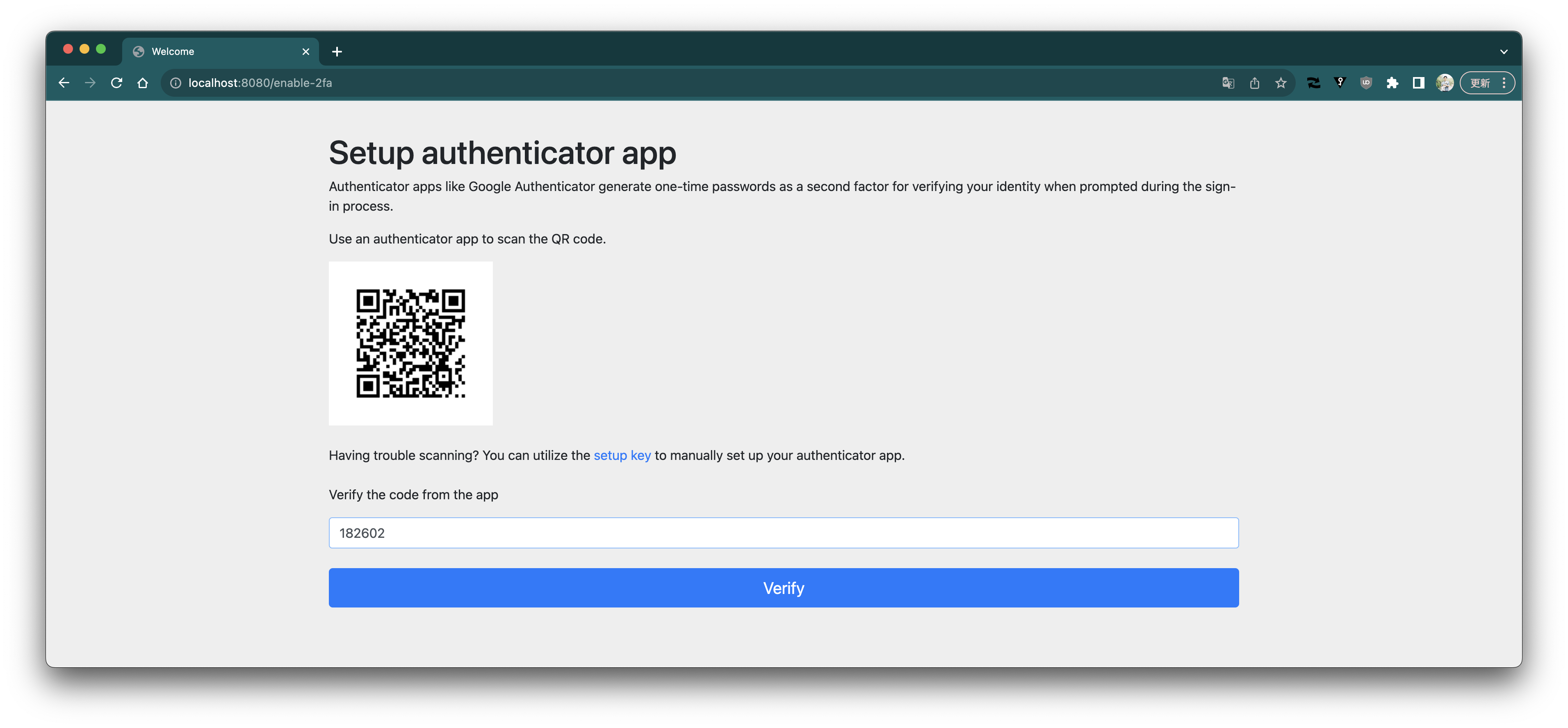
 Enable 2FA.
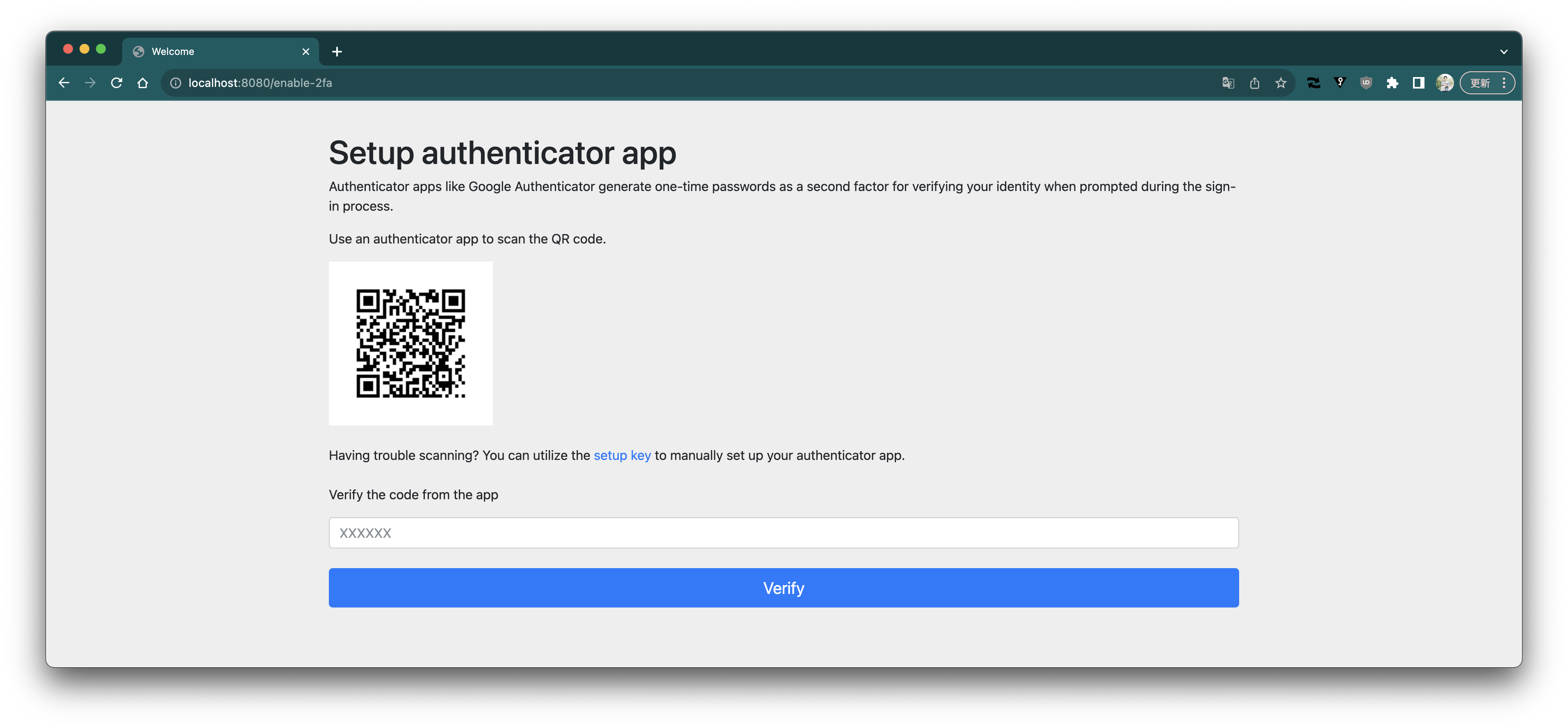 Scan the QR code using Google Authenticator.

Check the code.

Enter the code and press the verify button.
Scan the QR code using Google Authenticator.

Check the code.

Enter the code and press the verify button.
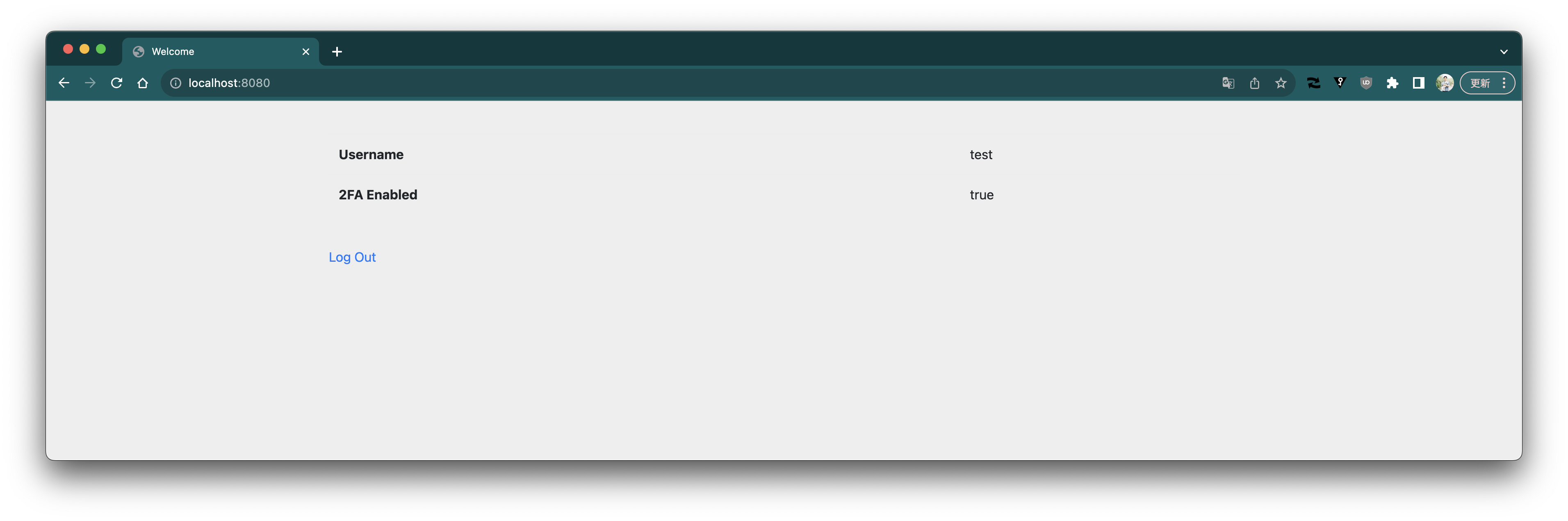
 2FA is now enabled.
 Log out.
Log in again.
This time, since 2FA is enabled, you are prompted to enter a code.
Log out.
Log in again.
This time, since 2FA is enabled, you are prompted to enter a code.
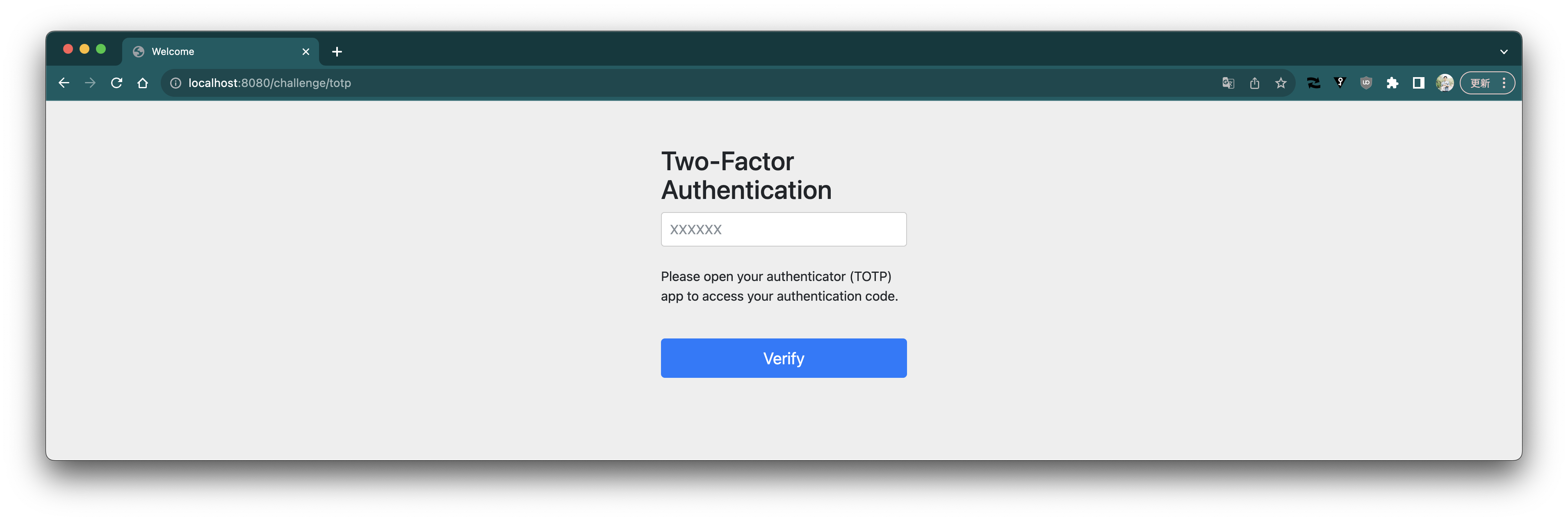 Check the code with Google Authenticator.

Enter the code and press the verify button.
Check the code with Google Authenticator.

Enter the code and press the verify button.
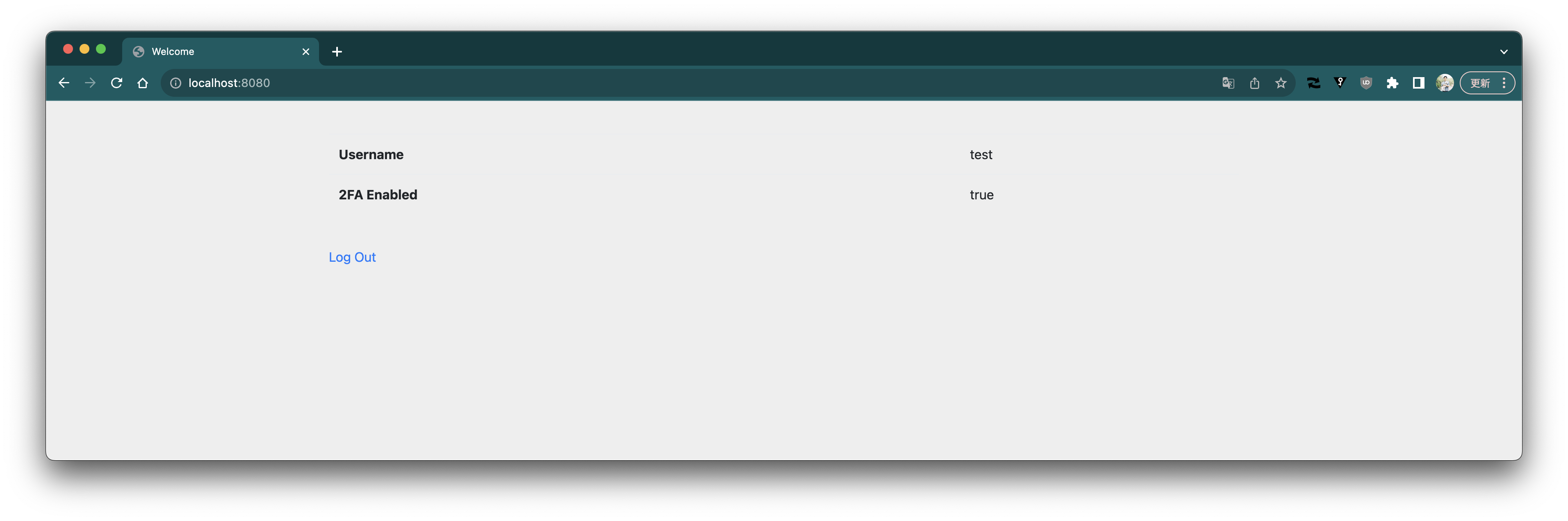
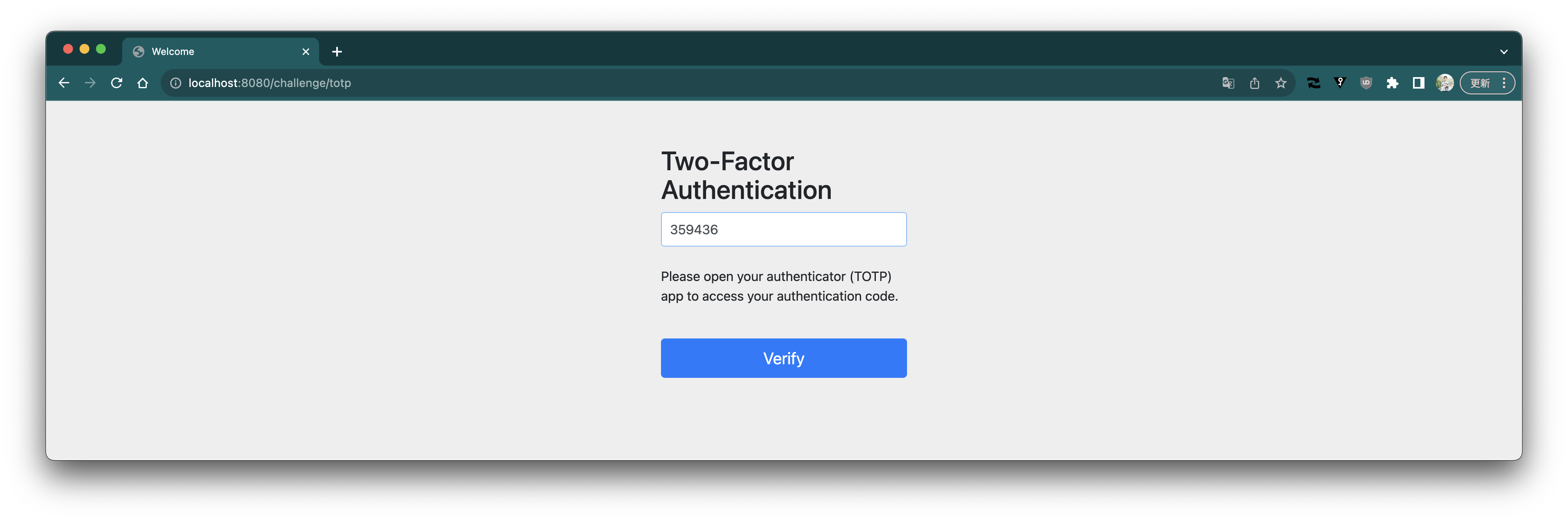 Login succeeded.
 ### Explanation of the Implementation
The definition of `SecurityFilterChain` looks like this.
```java
@Bean
public SecurityFilterChain securityFilterChain(HttpSecurity http,
AuthenticationSuccessHandler primarySuccessHandler) throws Exception {
return http
.authorizeHttpRequests(authorize -> authorize
.requestMatchers("/signup", "/error").permitAll()
.requestMatchers("/challenge/totp").access(new TwoFactorAuthorizationManager())
.anyRequest().authenticated())
.formLogin(form -> form
.successHandler(new TwoFactorAuthenticationSuccessHandler("/challenge/totp", primarySuccessHandler)))
.securityContext(securityContext -> securityContext.requireExplicitSave(false))
.build();
}
```
The key point is the `TwoFactorAuthenticationSuccessHandler` set as the `successHandler` of `formLogin`.
This class handles **displaying the TOTP input form after a successful username/password login if 2FA is enabled**.
It is implemented as follows.
```java
public class TwoFactorAuthenticationSuccessHandler implements AuthenticationSuccessHandler {
private final AuthenticationSuccessHandler primarySuccessHandler;
private final AuthenticationSuccessHandler secondarySuccessHandler;
public TwoFactorAuthenticationSuccessHandler(String secondAuthUrl,
AuthenticationSuccessHandler primarySuccessHandler) {
this.primarySuccessHandler = primarySuccessHandler;
this.secondarySuccessHandler = new SimpleUrlAuthenticationSuccessHandler(secondAuthUrl);
}
@Override
public void onAuthenticationSuccess(HttpServletRequest request, HttpServletResponse response,
Authentication authentication) throws IOException, ServletException {
AccountUserDetails accountUserDetails = (AccountUserDetails) authentication.getPrincipal();
Account account = accountUserDetails.getAccount();
if (account.twoFactorEnabled()) {
SecurityContextHolder.getContext().setAuthentication(new TwoFactorAuthentication(authentication));
this.secondarySuccessHandler.onAuthenticationSuccess(request, response, authentication);
}
else {
this.primarySuccessHandler.onAuthenticationSuccess(request, response, authentication);
}
}
}
```
`primarySuccessHandler` is the same as the default `AuthenticationSuccessHandler` (`SavedRequestAwareAuthenticationSuccessHandler`).
`secondarySuccessHandler` is an `AuthenticationSuccessHandler` that redirects to the specified URL (here `/challenge/totp`) upon successful login.
When the username and password are entered in the login form and authentication succeeds, the `onAuthenticationSuccess` method of `TwoFactorAuthenticationSuccessHandler` is invoked. As can be seen in this method, if 2FA is disabled for the authenticated account, processing is delegated to `primarySuccessHandler`. In other words, the flow proceeds as if 2FA were not used.
If 2FA is enabled, a `TwoFactorAuthentication` is set in the `SecurityContext`, and processing is delegated to `secondarySuccessHandler`, resulting in a redirect to `/challenge/totp`.
`TwoFactorAuthentication` is implemented as follows.
```java
public class TwoFactorAuthentication extends AbstractAuthenticationToken {
private final Authentication primary;
public TwoFactorAuthentication(Authentication primary) {
super(List.of());
this.primary = primary;
}
// omitted
@Override
public boolean isAuthenticated() {
return false;
}
public Authentication getPrimary() {
return this.primary;
}
}
```
It wraps the `Authentication` object created by the authentication process (implemented as `UsernamePasswordAuthenticationToken`), but its `isAuthenticated` method returns `false`, i.e., it represents an unauthenticated state. When 2FA is enabled, even after a successful username/password login, the state is not **authenticated**, so it is not authorized for `anyRequest().authenticated()`. Conversely, the next destination `/challenge/totp` must be authorized, so we configure `.requestMatchers("/challenge/totp").access(new TwoFactorAuthorizationManager())`.
The implementation of `TwoFactorAuthorizationManager` is as follows.
```java
public class TwoFactorAuthorizationManager implements AuthorizationManager {
@Override
public AuthorizationDecision check(Supplier authentication, RequestAuthorizationContext object) {
return new AuthorizationDecision(authentication.get() instanceof TwoFactorAuthentication);
}
}
```
It only checks whether the given `Authentication` object is an instance of `TwoFactorAuthentication`. Therefore, when redirected to `/challenge/totp` by `TwoFactorAuthenticationSuccessHandler`, it is authorized.
The controller for `/challenge/totp` looks like this.
```java
@Controller
public class TwoFactorAuthController {
private final TwoFactorAuthenticationCodeVerifier codeVerifier;
private final AuthenticationSuccessHandler successHandler;
private final AuthenticationFailureHandler failureHandler;
// omitted
@GetMapping(path = "/challenge/totp")
public String requestTotp() {
return "totp";
}
@PostMapping(path = "/challenge/totp")
public void processTotp(@RequestParam String code, TwoFactorAuthentication authentication,
HttpServletRequest request, HttpServletResponse response) throws ServletException, IOException {
Authentication primaryAuthentication = authentication.getPrimary();
AccountUserDetails accountUserDetails = (AccountUserDetails) primaryAuthentication.getPrincipal();
Account account = accountUserDetails.getAccount();
if (this.codeVerifier.verify(account, code)) {
SecurityContextHolder.getContext().setAuthentication(primaryAuthentication);
this.successHandler.onAuthenticationSuccess(request, response, primaryAuthentication);
}
else {
this.failureHandler.onAuthenticationFailure(request, response, new BadCredentialsException("Invalid code"));
}
}
}
```
`GET /challenge/totp` simply displays the form for entering the code. For the `POST /challenge/totp` where the code is submitted, the TOTP code is verified using `TwoFactorAuthenticationCodeVerifier`.
If the code is valid, the original authenticated `Authentication` is set in the `SecurityContext`, and the default `AuthenticationSuccessHandler` handles the success.
If the code is invalid, the default `AuthenticationFailureHandler` handles the login failure.
The generation and verification of TOTP secrets, QR code generation, etc., are omitted from this article. Please refer to the source code on GitHub.
> [Note] Starting with Spring Security 6, merely calling `SecurityContextHolder.getContext().setAuthentication(...)` no longer automatically saves the session state; you must explicitly save the context.
> While this has drawbacks, we set `securityContext.requireExplicitSave(false)` so that explicit context saving is not required in this case.
> https://docs.spring.io/spring-security/reference/6.5/migration/servlet/session-management.html#_require_explicit_saving_of_securitycontextrepository
### Explanation of the Implementation
The definition of `SecurityFilterChain` looks like this.
```java
@Bean
public SecurityFilterChain securityFilterChain(HttpSecurity http,
AuthenticationSuccessHandler primarySuccessHandler) throws Exception {
return http
.authorizeHttpRequests(authorize -> authorize
.requestMatchers("/signup", "/error").permitAll()
.requestMatchers("/challenge/totp").access(new TwoFactorAuthorizationManager())
.anyRequest().authenticated())
.formLogin(form -> form
.successHandler(new TwoFactorAuthenticationSuccessHandler("/challenge/totp", primarySuccessHandler)))
.securityContext(securityContext -> securityContext.requireExplicitSave(false))
.build();
}
```
The key point is the `TwoFactorAuthenticationSuccessHandler` set as the `successHandler` of `formLogin`.
This class handles **displaying the TOTP input form after a successful username/password login if 2FA is enabled**.
It is implemented as follows.
```java
public class TwoFactorAuthenticationSuccessHandler implements AuthenticationSuccessHandler {
private final AuthenticationSuccessHandler primarySuccessHandler;
private final AuthenticationSuccessHandler secondarySuccessHandler;
public TwoFactorAuthenticationSuccessHandler(String secondAuthUrl,
AuthenticationSuccessHandler primarySuccessHandler) {
this.primarySuccessHandler = primarySuccessHandler;
this.secondarySuccessHandler = new SimpleUrlAuthenticationSuccessHandler(secondAuthUrl);
}
@Override
public void onAuthenticationSuccess(HttpServletRequest request, HttpServletResponse response,
Authentication authentication) throws IOException, ServletException {
AccountUserDetails accountUserDetails = (AccountUserDetails) authentication.getPrincipal();
Account account = accountUserDetails.getAccount();
if (account.twoFactorEnabled()) {
SecurityContextHolder.getContext().setAuthentication(new TwoFactorAuthentication(authentication));
this.secondarySuccessHandler.onAuthenticationSuccess(request, response, authentication);
}
else {
this.primarySuccessHandler.onAuthenticationSuccess(request, response, authentication);
}
}
}
```
`primarySuccessHandler` is the same as the default `AuthenticationSuccessHandler` (`SavedRequestAwareAuthenticationSuccessHandler`).
`secondarySuccessHandler` is an `AuthenticationSuccessHandler` that redirects to the specified URL (here `/challenge/totp`) upon successful login.
When the username and password are entered in the login form and authentication succeeds, the `onAuthenticationSuccess` method of `TwoFactorAuthenticationSuccessHandler` is invoked. As can be seen in this method, if 2FA is disabled for the authenticated account, processing is delegated to `primarySuccessHandler`. In other words, the flow proceeds as if 2FA were not used.
If 2FA is enabled, a `TwoFactorAuthentication` is set in the `SecurityContext`, and processing is delegated to `secondarySuccessHandler`, resulting in a redirect to `/challenge/totp`.
`TwoFactorAuthentication` is implemented as follows.
```java
public class TwoFactorAuthentication extends AbstractAuthenticationToken {
private final Authentication primary;
public TwoFactorAuthentication(Authentication primary) {
super(List.of());
this.primary = primary;
}
// omitted
@Override
public boolean isAuthenticated() {
return false;
}
public Authentication getPrimary() {
return this.primary;
}
}
```
It wraps the `Authentication` object created by the authentication process (implemented as `UsernamePasswordAuthenticationToken`), but its `isAuthenticated` method returns `false`, i.e., it represents an unauthenticated state. When 2FA is enabled, even after a successful username/password login, the state is not **authenticated**, so it is not authorized for `anyRequest().authenticated()`. Conversely, the next destination `/challenge/totp` must be authorized, so we configure `.requestMatchers("/challenge/totp").access(new TwoFactorAuthorizationManager())`.
The implementation of `TwoFactorAuthorizationManager` is as follows.
```java
public class TwoFactorAuthorizationManager implements AuthorizationManager {
@Override
public AuthorizationDecision check(Supplier authentication, RequestAuthorizationContext object) {
return new AuthorizationDecision(authentication.get() instanceof TwoFactorAuthentication);
}
}
```
It only checks whether the given `Authentication` object is an instance of `TwoFactorAuthentication`. Therefore, when redirected to `/challenge/totp` by `TwoFactorAuthenticationSuccessHandler`, it is authorized.
The controller for `/challenge/totp` looks like this.
```java
@Controller
public class TwoFactorAuthController {
private final TwoFactorAuthenticationCodeVerifier codeVerifier;
private final AuthenticationSuccessHandler successHandler;
private final AuthenticationFailureHandler failureHandler;
// omitted
@GetMapping(path = "/challenge/totp")
public String requestTotp() {
return "totp";
}
@PostMapping(path = "/challenge/totp")
public void processTotp(@RequestParam String code, TwoFactorAuthentication authentication,
HttpServletRequest request, HttpServletResponse response) throws ServletException, IOException {
Authentication primaryAuthentication = authentication.getPrimary();
AccountUserDetails accountUserDetails = (AccountUserDetails) primaryAuthentication.getPrincipal();
Account account = accountUserDetails.getAccount();
if (this.codeVerifier.verify(account, code)) {
SecurityContextHolder.getContext().setAuthentication(primaryAuthentication);
this.successHandler.onAuthenticationSuccess(request, response, primaryAuthentication);
}
else {
this.failureHandler.onAuthenticationFailure(request, response, new BadCredentialsException("Invalid code"));
}
}
}
```
`GET /challenge/totp` simply displays the form for entering the code. For the `POST /challenge/totp` where the code is submitted, the TOTP code is verified using `TwoFactorAuthenticationCodeVerifier`.
If the code is valid, the original authenticated `Authentication` is set in the `SecurityContext`, and the default `AuthenticationSuccessHandler` handles the success.
If the code is invalid, the default `AuthenticationFailureHandler` handles the login failure.
The generation and verification of TOTP secrets, QR code generation, etc., are omitted from this article. Please refer to the source code on GitHub.
> [Note] Starting with Spring Security 6, merely calling `SecurityContextHolder.getContext().setAuthentication(...)` no longer automatically saves the session state; you must explicitly save the context.
> While this has drawbacks, we set `securityContext.requireExplicitSave(false)` so that explicit context saving is not required in this case.
> https://docs.spring.io/spring-security/reference/6.5/migration/servlet/session-management.html#_require_explicit_saving_of_securitycontextrepository