---
title: Appleの"ブック"アプリのように本の表紙をハードカバー風にする加工をJavaで行う
tags: ["Java", "Image Processing"]
categories: ["Programming", "Java", "java", "awt", "image", "BufferedImage"]
date: 2023-10-17T14:42:42Z
updated: 2023-10-18T01:39:59Z
---
Appleの"ブック"アプリを開くと、次の図のように、本の表紙に凹上のデボス加工が施され、ハードカバーのような質感に見えます。
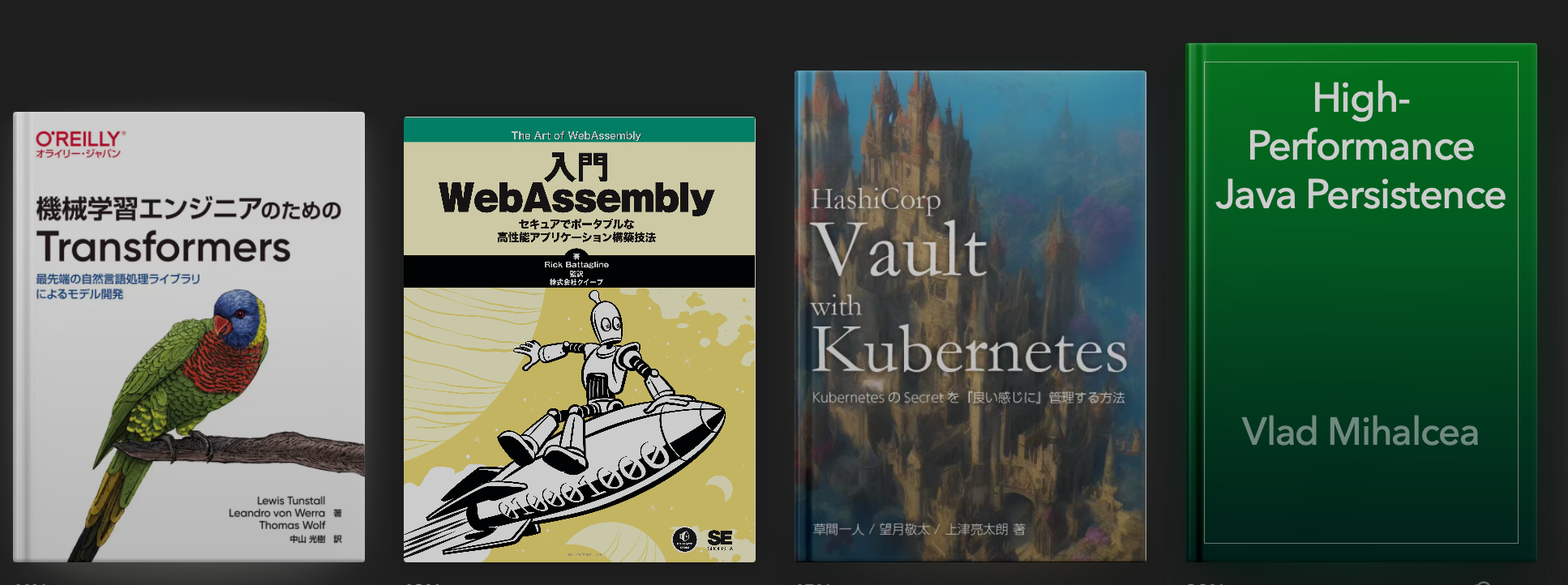 購入した電子書籍を管理する本棚アプリを作りたいと思っていて、本棚に本の表紙を載せるならこのような加工をしたいと思い、加工方法をChatGPTに聞きました。
次のようなコードを教えてもらいました。
```java
import javax.imageio.ImageIO;
import java.awt.image.BufferedImage;
import java.io.File;
import java.io.IOException;
public class DebossImage {
public static void main(String[] args) {
try {
File inputImageFile = new File(args[0]);
BufferedImage original = ImageIO.read(inputImageFile);
BufferedImage debossedImage = addBookEdgeDeboss(original);
File outputImageFile = new File(args[1]);
ImageIO.write(debossedImage, "png", outputImageFile); // PNG format to preserve alpha
}
catch (IOException e) {
e.printStackTrace();
}
}
private static BufferedImage addBookEdgeDeboss(BufferedImage image) {
int shadowWidth = 10 * image.getWidth() / 300;
int offset = shadowWidth / 2;
BufferedImage result = new BufferedImage(image.getWidth(), image.getHeight(), BufferedImage.TYPE_INT_ARGB);
for (int y = 0; y < image.getHeight(); y++) {
for (int x = 0; x < image.getWidth(); x++) {
int color = image.getRGB(x, y);
if (x > offset && x < shadowWidth) {
int alpha = (int) (255 * (double) x / shadowWidth);
int rgba = (color & 0x00FFFFFF) | (alpha << 24);
result.setRGB(x, y, rgba);
}
else {
result.setRGB(x, y, color);
}
}
}
return result;
}
}
```
次のコマンドで変換
```
java DebossImage.java input.jpg output.png
```
入力画像
購入した電子書籍を管理する本棚アプリを作りたいと思っていて、本棚に本の表紙を載せるならこのような加工をしたいと思い、加工方法をChatGPTに聞きました。
次のようなコードを教えてもらいました。
```java
import javax.imageio.ImageIO;
import java.awt.image.BufferedImage;
import java.io.File;
import java.io.IOException;
public class DebossImage {
public static void main(String[] args) {
try {
File inputImageFile = new File(args[0]);
BufferedImage original = ImageIO.read(inputImageFile);
BufferedImage debossedImage = addBookEdgeDeboss(original);
File outputImageFile = new File(args[1]);
ImageIO.write(debossedImage, "png", outputImageFile); // PNG format to preserve alpha
}
catch (IOException e) {
e.printStackTrace();
}
}
private static BufferedImage addBookEdgeDeboss(BufferedImage image) {
int shadowWidth = 10 * image.getWidth() / 300;
int offset = shadowWidth / 2;
BufferedImage result = new BufferedImage(image.getWidth(), image.getHeight(), BufferedImage.TYPE_INT_ARGB);
for (int y = 0; y < image.getHeight(); y++) {
for (int x = 0; x < image.getWidth(); x++) {
int color = image.getRGB(x, y);
if (x > offset && x < shadowWidth) {
int alpha = (int) (255 * (double) x / shadowWidth);
int rgba = (color & 0x00FFFFFF) | (alpha << 24);
result.setRGB(x, y, rgba);
}
else {
result.setRGB(x, y, color);
}
}
}
return result;
}
}
```
次のコマンドで変換
```
java DebossImage.java input.jpg output.png
```
入力画像
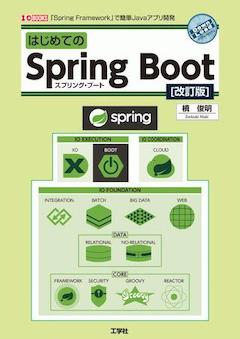
出力画像
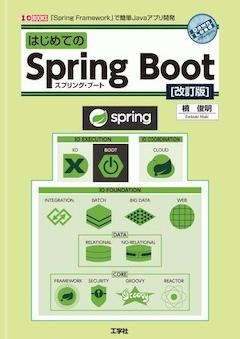
入力画像
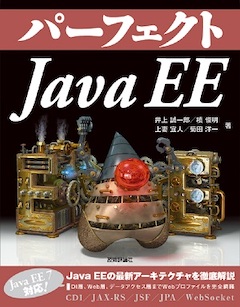
出力画像
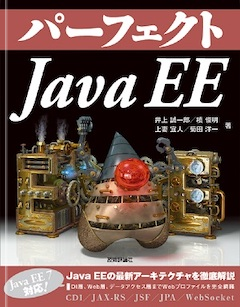
入力画像

出力画像

期待通りの結果です👏 (この記事をダークモードでみた方がエンボス加工がハッキリ見えます)