Cloud FoundryにElephant SQlのService Brokerをデプロイする
Pivotal Application Service (Tanzu Application Service)をインストールした直後はServiceのMarketplaceがほとんど用意されておらず、寂しいので、
PostgreSQL as a ServiceなElephant SQLのService Brokerをインストールして、cf create-serviceで無料のPostgreSQLインスタンスが立ち上がるようにします。 Pivotal Web Servicesで使えるサービスとほぼ同じです。
Service Brokerのソースコードは https://github.com/making/elephantsql-service-broker です。
以下のデプロイ手順はPivotal Application Serviceにデプロイする例ですが、他のCloud Foundryでも同じです。
目次
Elephant SQL Service Brokerのデプロイ
ここではsystem Orgのelephantsql Spaceにデプロイします。
adminユーザーで作業してください。
cf target -o system
cf create-space elephantsql -o system
cf target -o system -s elephantsql
デプロイするためのmanifest.ymlをダウンロードします。
mkdir elephantsql-service-broker
cd elephantsql-service-broker

wget https://github.com/making/elephantsql-service-broker/raw/master/manifest.yml
ElephantSQLのアカウントを作成し、こちらからAPIキーを取得してください。 GitHubでログインするのが簡単です。

次のコマンドでデプロイしてください。Docker Imageをpushするので、cf feature-flags | grep diego_dockerでdiego_dockerがdisabledになっている場合は、cf enable-feature-flag diego_dockerでDocker Imageのpushを有効にする必要があります。
export ELEPHANTSQL_API_KEY=******************
export SPRING_SECURITY_USER_PASSWORD=$(uuidgen)

cf push --no-start
cf set-env elephantsql-service-broker ELEPHANTSQL_API_KEY ${ELEPHANTSQL_API_KEY}
cf set-env elephantsql-service-broker SPRING_SECURITY_USER_PASSWORD ${SPRING_SECURITY_USER_PASSWORD}
cf start elephantsql-service-broker
Elephant SQL Service Brokerの登録
次のコマンドでCloud FoundryにElephant SQL Service Brokerを登録します。
SERVICE_BROKER_URL=https://$(cf curl /v2/apps/$(cf app elephantsql-service-broker --guid)/stats | jq -r '.["0"].stats.uris[0]')
cf create-service-broker elephantsql admin ${SPRING_SECURITY_USER_PASSWORD} ${SERVICE_BROKER_URL}
cf enable-service-access elephantsql
登録が完了すればcf marketplaceでelephantsqlサービスが表示されます。
$ cf marketplace
Getting services from marketplace in org system / space elephantsql as admin...
OK

service          plans      description                                                                    broker
app-autoscaler   standard   Scales bound applications in response to load                                  app-autoscaler
smb              Existing   Existing SMB shares (see: https://code.cloudfoundry.org/smb-volume-release/)   smbbroker
elephantsql      turtle     PostgreSQL as a Service                                                        elephantsql

TIP: Use 'cf marketplace -s SERVICE' to view descriptions of individual plans of a given service.
Free Planのturtleしか用意していないので、Production用アプリには使わないでください。
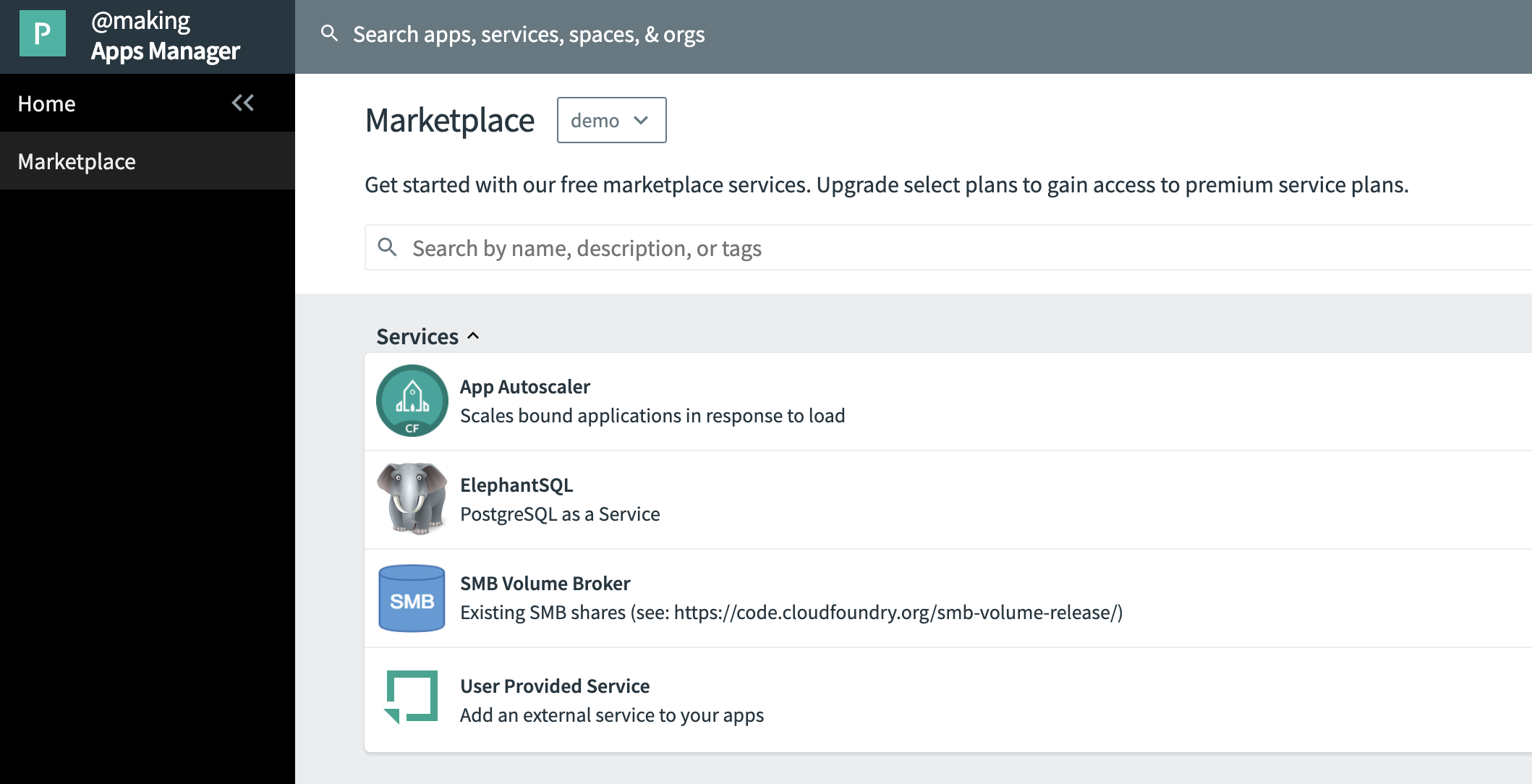
Apps ManagerのMarketplaceにも表示されます。
サンプルアプリケーションのデプロイ
雛形プロジェクトを作成します。
curl https://start.spring.io/starter.tgz \
       -d artifactId=hello-db \
       -d baseDir=hello-db \
       -d dependencies=data-rest,data-jpa,data-rest-hal,actuator,postgresql \
       -d packageName=com.example \
       -d applicationName=HelloDbApplication | tar -xzvf -

cd hello-db

cat <<EOF > src/main/resources/application.properties
spring.jpa.hibernate.ddl-auto=update
spring.jpa.properties.hibernate.dialect=org.hibernate.dialect.ProgressDialect
EOF
cat <<EOF > src/main/java/com/example/Message.java
package com.example;

import javax.persistence.Entity;
import javax.persistence.GeneratedValue;
import javax.persistence.GenerationType;
import javax.persistence.Id;

@Entity
public class Message {
    @Id
    @GeneratedValue(strategy = GenerationType.AUTO)
    public Long id;
    public String text;
}
EOF
cat <<EOF > src/main/java/com/example/MessageRepository.java
package com.example;

import org.springframework.data.repository.CrudRepository;

public interface MessageRepository extends CrudRepository<Message, Long> {
}
EOF
ビルドします。
./mvnw clean package -DskipTests
elephantsqlのService Instanceを作成します。
cf create-service elephantsql turtle message-db
デフォルトでgoogle-compute-engine::asia-east2 Regionが使用されます。リージョンを変えたい場合は、次のように指定可能です。サポートされているRegionはドキュメントを確認してください。
cf create-service elephantsql turtle message-db -c '{"region": "amazon-web-services::ap-northeast-1"}'
Service Instance一覧を確認します。
$ cf services
Getting services in org demo / space demo as admin...

name         service       plan     bound apps   last operation     broker       upgrade available
message-db   elephantsql   turtle   hello-db     create succeeded   elephantsql
maniefst.ymlを作成します。
cat <<'EOF' > manifest.yml
applications:
- name: hello-db
  path: target/hello-db-0.0.1-SNAPSHOT.jar
  services:
  - message-db
  env:
    JBP_CONFIG_OPEN_JDK_JRE: '{ jre: { version: 11.+ } }'
EOF
アプリをデプロイします。
cf push
エンドポイントにアクセスしてみます。
APP_URL=https://$(cf curl /v2/apps/$(cf app hello-db --guid)/stats | jq -r '.["0"].stats.uris[0]')

curl  -H 'Content-Type: application/json' -d '{"text":"Hello World!"}'  ${APP_URL}/messages
curl ${APP_URL}/messages
アプリをRestartしてもデータが返却されることを確認してください。
cf restart hello-db
curl ${APP_URL}/messages
Cloud Foundryの検証環境などでちょっとしたDBをサッと用意したいというときに便利です。