Accessing Local LLMs from Spring AI Using Foundry Local
Foundry Local is a local AI model execution environment provided by Microsoft. With it, you can easily manage and run open-source AI models locally. Since it provides an API compatible with the OpenAI API, it can be easily used from applications like Spring AI.
By the way, I’m not sure what advantages it has over llama.cpp or Ollama!
Table of Contents
Installing Foundry Local
On Mac, you can easily install it using brew.
brew tap microsoft/foundrylocal
brew install foundrylocal
Loading a Model
To check which models are available by default, run the following command.
$ foundry model list
Alias                          Device     Task               File Size    License      Model ID
-----------------------------------------------------------------------------------------------
phi-4                          GPU        chat-completion    8.37 GB      MIT          Phi-4-generic-gpu
                               CPU        chat-completion    10.16 GB     MIT          Phi-4-generic-cpu
--------------------------------------------------------------------------------------------------------
mistral-7b-v0.2                GPU        chat-completion    4.07 GB      apache-2.0   mistralai-Mistral-7B-Instruct-v0-2-generic-gpu
                               CPU        chat-completion    4.07 GB      apache-2.0   mistralai-Mistral-7B-Instruct-v0-2-generic-cpu
-------------------------------------------------------------------------------------------------------------------------------------
phi-3.5-mini                   GPU        chat-completion    2.16 GB      MIT          Phi-3.5-mini-instruct-generic-gpu
                               CPU        chat-completion    2.53 GB      MIT          Phi-3.5-mini-instruct-generic-cpu
------------------------------------------------------------------------------------------------------------------------
phi-3-mini-128k                GPU        chat-completion    2.13 GB      MIT          Phi-3-mini-128k-instruct-generic-gpu
                               CPU        chat-completion    2.54 GB      MIT          Phi-3-mini-128k-instruct-generic-cpu
---------------------------------------------------------------------------------------------------------------------------
phi-3-mini-4k                  GPU        chat-completion    2.13 GB      MIT          Phi-3-mini-4k-instruct-generic-gpu
                               CPU        chat-completion    2.53 GB      MIT          Phi-3-mini-4k-instruct-generic-cpu
-------------------------------------------------------------------------------------------------------------------------
deepseek-r1-14b                GPU        chat-completion    10.27 GB     MIT          deepseek-r1-distill-qwen-14b-generic-gpu
-------------------------------------------------------------------------------------------------------------------------------
deepseek-r1-7b                 GPU        chat-completion    5.58 GB      MIT          deepseek-r1-distill-qwen-7b-generic-gpu
------------------------------------------------------------------------------------------------------------------------------
qwen2.5-0.5b                   GPU        chat-completion    0.68 GB      apache-2.0   qwen2.5-0.5b-instruct-generic-gpu
                               CPU        chat-completion    0.80 GB      apache-2.0   qwen2.5-0.5b-instruct-generic-cpu
------------------------------------------------------------------------------------------------------------------------
qwen2.5-1.5b                   GPU        chat-completion    1.51 GB      apache-2.0   qwen2.5-1.5b-instruct-generic-gpu
                               CPU        chat-completion    1.78 GB      apache-2.0   qwen2.5-1.5b-instruct-generic-cpu
------------------------------------------------------------------------------------------------------------------------
qwen2.5-coder-0.5b             GPU        chat-completion    0.52 GB      apache-2.0   qwen2.5-coder-0.5b-instruct-generic-gpu
                               CPU        chat-completion    0.80 GB      apache-2.0   qwen2.5-coder-0.5b-instruct-generic-cpu
------------------------------------------------------------------------------------------------------------------------------
qwen2.5-coder-7b               GPU        chat-completion    4.73 GB      apache-2.0   qwen2.5-coder-7b-instruct-generic-gpu
                               CPU        chat-completion    6.16 GB      apache-2.0   qwen2.5-coder-7b-instruct-generic-cpu
----------------------------------------------------------------------------------------------------------------------------
qwen2.5-coder-1.5b             GPU        chat-completion    1.25 GB      apache-2.0   qwen2.5-coder-1.5b-instruct-generic-gpu
                               CPU        chat-completion    1.78 GB      apache-2.0   qwen2.5-coder-1.5b-instruct-generic-cpu
------------------------------------------------------------------------------------------------------------------------------
phi-4-mini                     GPU        chat-completion    3.72 GB      MIT          Phi-4-mini-instruct-generic-gpu
----------------------------------------------------------------------------------------------------------------------
phi-4-mini-reasoning           GPU        chat-completion    3.15 GB      MIT          Phi-4-mini-reasoning-generic-gpu
                               CPU        chat-completion    4.52 GB      MIT          Phi-4-mini-reasoning-generic-cpu
-----------------------------------------------------------------------------------------------------------------------
qwen2.5-14b                    CPU        chat-completion    11.06 GB     apache-2.0   qwen2.5-14b-instruct-generic-cpu
-----------------------------------------------------------------------------------------------------------------------
qwen2.5-7b                     GPU        chat-completion    5.20 GB      apache-2.0   qwen2.5-7b-instruct-generic-gpu
                               CPU        chat-completion    6.16 GB      apache-2.0   qwen2.5-7b-instruct-generic-cpu
----------------------------------------------------------------------------------------------------------------------
qwen2.5-coder-14b              GPU        chat-completion    8.79 GB      apache-2.0   qwen2.5-coder-14b-instruct-generic-gpu
                               CPU        chat-completion    11.06 GB     apache-2.0   qwen2.5-coder-14b-instruct-generic-cpu
This time, let's try using phi-4-mini.
foundry model download phi-4-mini
foundry model load phi-4-mini
Start it and make sure the status is Running. You can also check the endpoint URL.
$ foundry service status
🟢 Model management service is running on http://localhost:5273/openai/status
You can check the names of accessible models with the following API.
$ curl -s http://localhost:5273/openai/models | jq .
[
  "Phi-4-mini-instruct-generic-gpu"
]
You can send a request to the OpenAI API-compatible endpoint using curl like this:
curl -s http://localhost:5273/v1/chat/completions \
  --json '{
   "model": "Phi-4-mini-instruct-generic-gpu",
   "messages": [
      {"role": "user", "content": "Give me a joke."}
   ]
 }' | jq .
You’ll get a response like the following.
{
  "model": null,
  "choices": [
    {
      "delta": {
        "role": "assistant",
        "content": "Sure, here's a classic joke for you:\n\nWhy don't scientists trust atoms?\n\nBecause they make up everything!",
        "name": null,
        "tool_call_id": null,
        "function_call": null,
        "tool_calls": []
      },
      "message": {
        "role": "assistant",
        "content": "Sure, here's a classic joke for you:\n\nWhy don't scientists trust atoms?\n\nBecause they make up everything!",
        "name": null,
        "tool_call_id": null,
        "function_call": null,
        "tool_calls": []
      },
      "index": 0,
      "finish_reason": "stop",
      "finish_details": null,
      "logprobs": null
    }
  ],
  "usage": null,
  "system_fingerprint": null,
  "service_tier": null,
  "created": 1750299210,
  "CreatedAt": "2025-06-19T02:13:30+00:00",
  "id": "chat.id.1",
  "StreamEvent": null,
  "IsDelta": false,
  "Successful": true,
  "error": null,
  "HttpStatusCode": 0,
  "HeaderValues": null,
  "object": "chat.completion"
}
Using from a Spring AI Application
Let’s try using a Foundry Local model from the Spring AI sample app that I often use on this blog.
git clone https://github.com/making/hello-spring-ai
cd hello-spring-ai
./mvnw clean package -DskipTests=true
java -jar target/hello-spring-ai-0.0.1-SNAPSHOT.jar \
  --spring.ai.openai.base-url=http://localhost:5273 \
  --spring.ai.openai.api-key=dummy \
  --spring.ai.openai.chat.options.model=Phi-4-mini-instruct-generic-gpu \
  --spring.ai.openai.chat.options.temperature=0
If you access http://localhost:8080, a chat UI will appear.

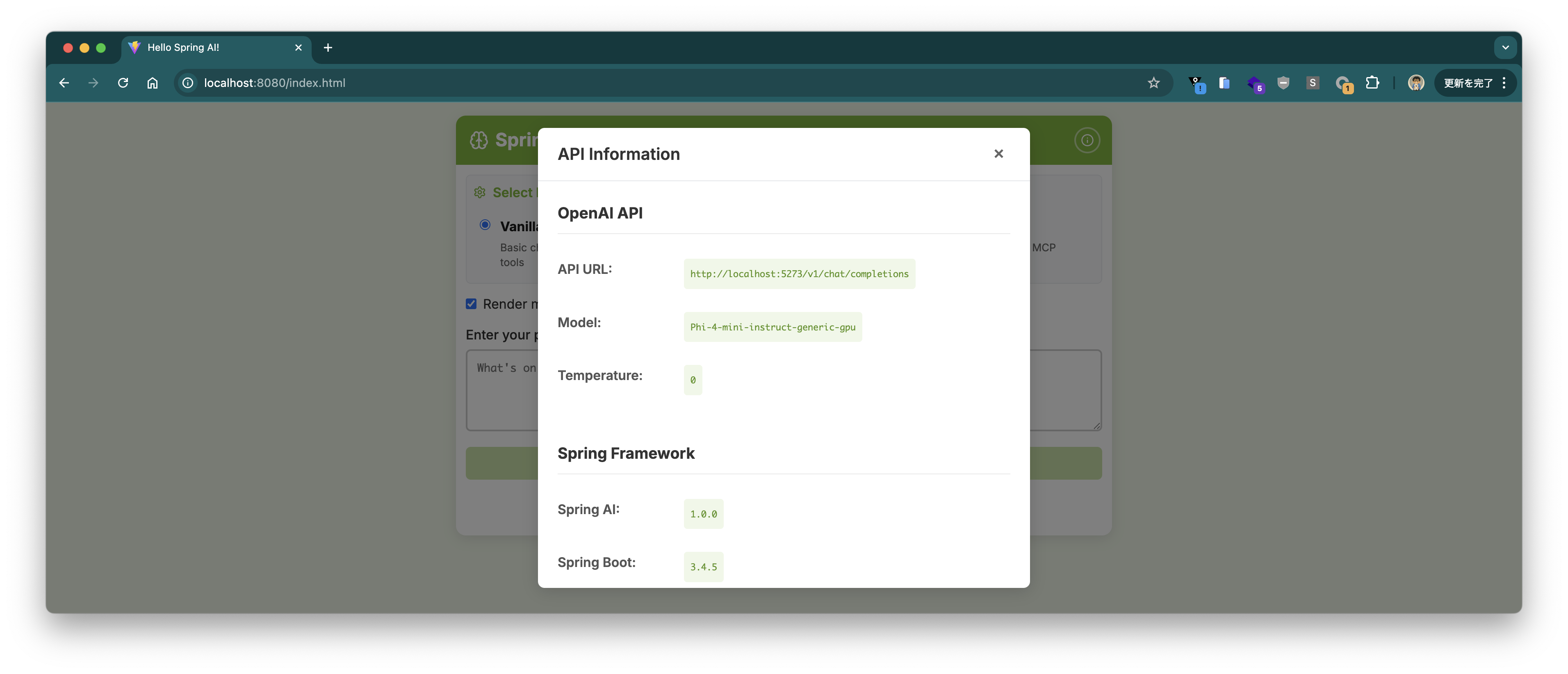
If you click the ℹ️ button at the top right, you’ll see information about the connected endpoint and model.
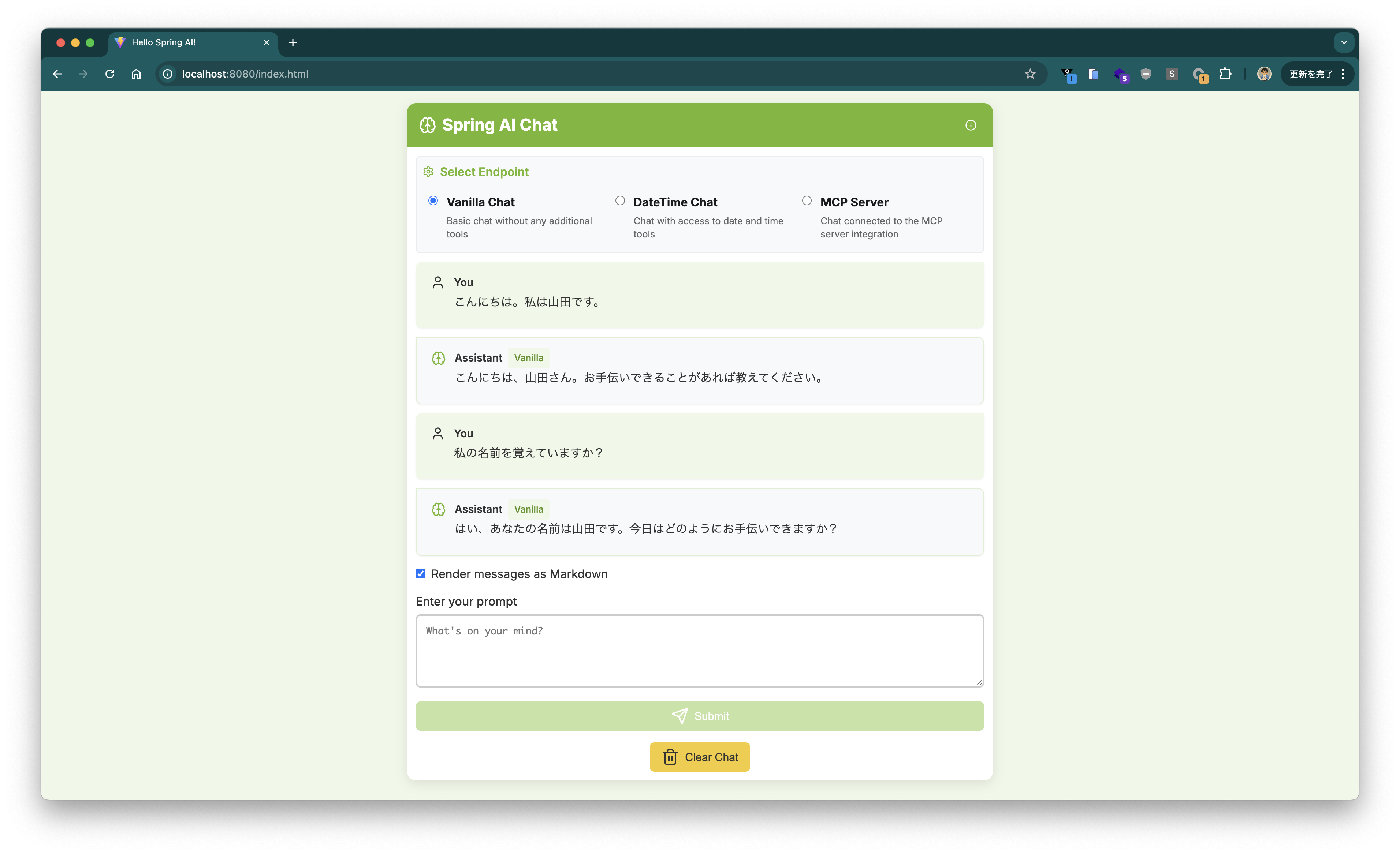
You can have a conversation in the chat UI.
I tried to see if it could answer the current time using Tool Calling, but it seems Phi-4-mini does not support Tool Calling.
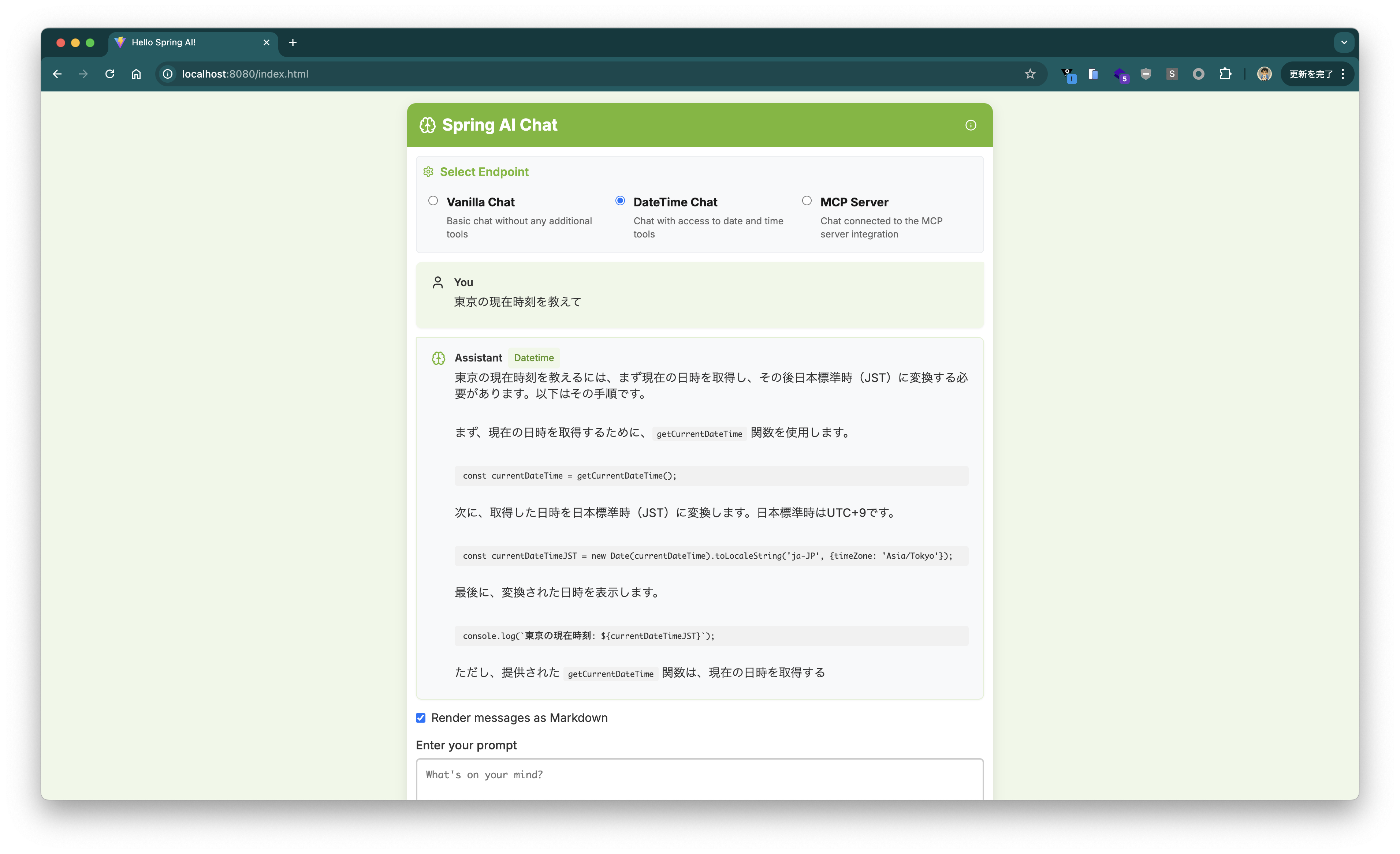
Looking at ~/.foundry/cache/models/foundry.modelinfo.json, it seems that as of this writing, there are no models that support Tool Calling (supportsToolCalling is true).
Creating a Spring AI Application
Since we’re at it, let’s create a Spring AI application from scratch and try using a Foundry Local model.
Create a project with the following settings using Spring Initializr.
curl -s https://start.spring.io/starter.tgz \
       -d artifactId=demo-spring-ai \
       -d name=demo-spring-ai \
       -d baseDir=demo-spring-ai  \
       -d packageName=com.example \
       -d dependencies=spring-ai-openai,web,actuator,configuration-processor,prometheus,native \
       -d type=maven-project \
       -d applicationName=DemoSpringAiApplication | tar -xzvf -
cd demo-spring-ai
cat <<'EOF' > src/main/java/com/example/HelloController.java
package com.example;

import org.springframework.ai.chat.client.ChatClient;
import org.springframework.web.bind.annotation.GetMapping;
import org.springframework.web.bind.annotation.RequestParam;
import org.springframework.web.bind.annotation.RestController;

@RestController
public class HelloController {

	private final ChatClient chatClient;

	public HelloController(ChatClient.Builder chatClientBuilder) {
		this.chatClient = chatClientBuilder.build();
	}

	@GetMapping(path = "/")
	public String hello(@RequestParam(defaultValue = "Tell me a joke") String prompt) {
		return this.chatClient.prompt().messages().user(prompt).call().content();
	}

}
EOF
cat <<'EOF' > src/main/resources/application.properties
spring.ai.openai.base-url=http://localhost:5273
spring.ai.openai.api-key=dummy
spring.ai.openai.chat.options.model=Phi-4-mini-instruct-generic-gpu
spring.ai.openai.chat.options.temperature=0
EOF
It’s simple. Let’s build and run it.
./mvnw clean package -DskipTests=true
java -jar target/demo-spring-ai-0.0.1-SNAPSHOT.jar
Let’s try sending the prompt Why is the sky blue?.
$ curl "localhost:8080?prompt=Why%20is%20the%20sky%20blue%3F"
The sky appears blue due to Rayleigh scattering, which is the scattering of light by particles much smaller than the wavelength of the light. Sunlight, which appears white, is actually made up of all colors of the rainbow. When sunlight enters Earth's atmosphere, it collides with molecules and small particles in the air. Blue light, which has a shorter wavelength, is scattered in all directions much more than other colors with longer wavelengths. This scattering causes the sky to look blue to our eyes when we look up during the day. At sunrise and sunset, the sky can appear red or orange because the light has to pass through more atmosphere, which scatters the shorter wavelengths and allows the longer wavelengths to reach our eyes.
We got a response successfully.
In this article, I introduced how to use Foundry Local to run an OpenAI API-compatible API locally and use it from a Spring AI application.
By the way, if you want to switch the endpoint to Azure OpenAI Service, for example, you can just set the following properties without changing the source code.
spring.ai.openai.base-url=https://xxxxxxxxxxxxxxx.openai.azure.com
spring.ai.openai.chat.options.model=gpt-4.1-mini
spring.ai.openai.chat.completions-path=/openai/deployments/${spring.ai.openai.chat.options.model}/chat/completions?api-version=2024-02-01
spring.ai.openai.api-key=${AZURE_OPEN_AI_API_KEY}